Stirrups are used to absorb the shear and torsional forces in concrete components.
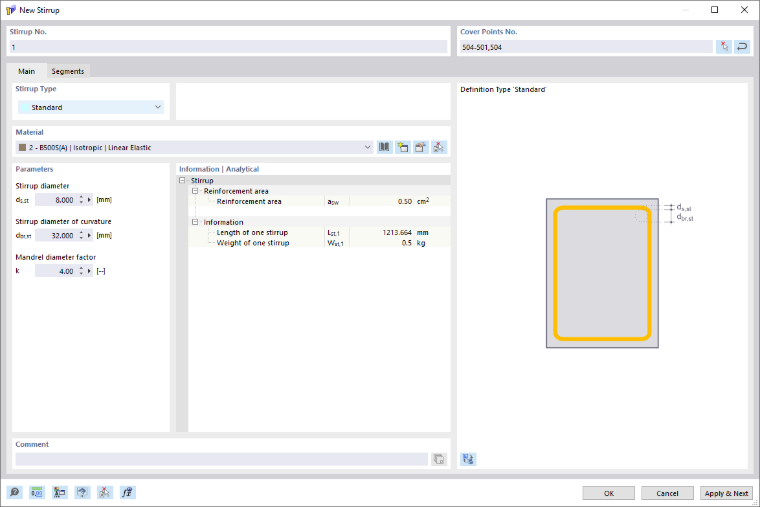
The stirrup number is assigned automatically, but can be changed. The order is irrelevant for the numbering. It does not have to be continuous, either; gaps in the numbering are allowed.
Cover Points Nos.
Stirrups can be placed at cover points. The cover points are points of the "On line" type on the cover line. You can also create additional cover points on the cover line and use them for the stirrup arrangement.
It is possible to define open and closed stirrups. If the stirrups are closed, the start and end cover points are connected to each other.
With the “Standard” stirrup type, you can define both open and closed stirrups. A closed stirrup is created when the starting overlap point is identical to the ending overlap point. To do this, specify the starting cover point again at the end of the point sequence. For example, specifying the cover points 504–501,504 generates a closed stirrup, since the start cover point 504 is also the end cover point 504.
Stirrup Type
The list contains various stirrup types you can select from.
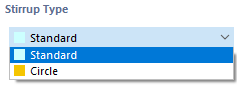
Standard
The “Standard” stirrup type allows for the definition of any stirrup shape, including rectangular, circular, and triangular stirrups, as well as stirrups with straight and curved segments.
To create a stirrup, specify the desired cover points. The resulting stirrup segments are listed in the “Segments” tab where they can be edited.
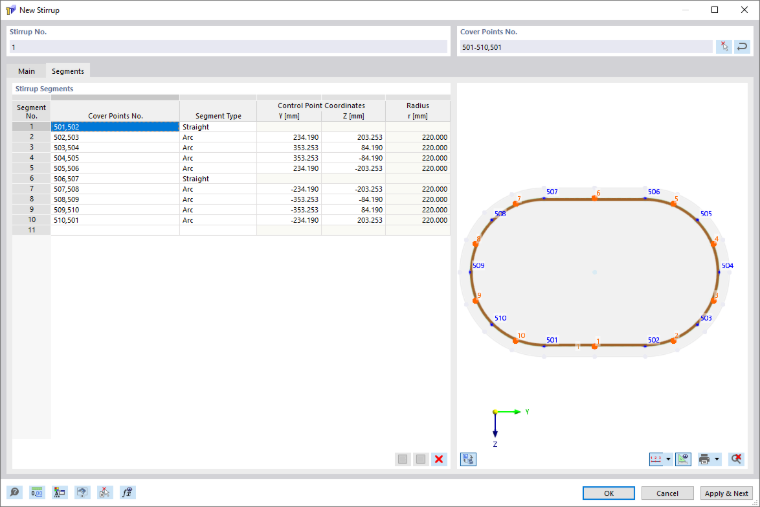
For each segment, you can adjust the corresponding cover points, change the segment type, and—for “Arc” segments—also edit the control point coordinates.
Furthermore, segments can be split, merged, or deleted. Use the buttons below the list to do so.

|
Split the selected straight stirrup segments |

|
Merge the selected straight stirrup segments |

|
Delete the selected segments |
Circle
The “Circle” stirrup type is used to quickly and easily define circular stirrups.
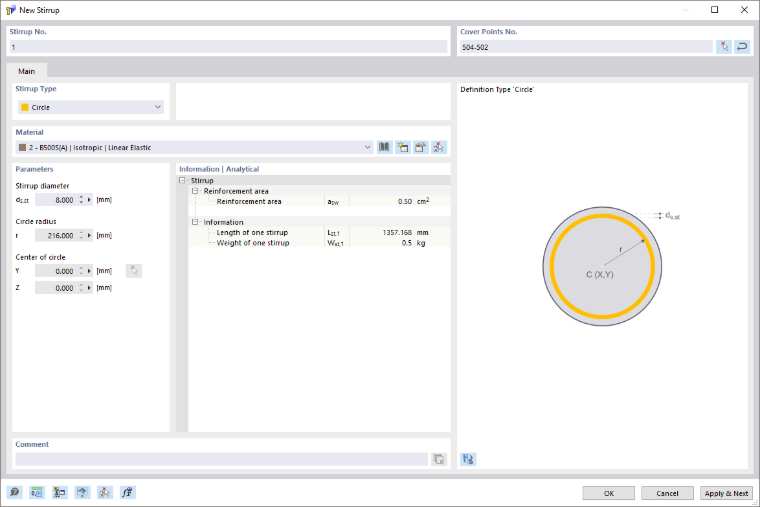
There are several ways to define a circular stirrup. You can define the circular stirrup directly using the center of the circle and the circle radius. Another way is to specify one or two cover points along with the center of the circle; in this case, the radius is calculated. You can also specify three cover points. The center of the circle and the radius are then determined from the cover points.
Material
In the list of already created materials, you can select a material for the stirrup, edit it, or define a new one. Only the "reinforcing steel" materials are allowed.
Parameters
The available parameters depend on the selected stirrup type. For the “Standard” stirrup type, the stirrup diameter ds,st, the stirrup diameter of the curvature dbr,st, and the mandrel diameter k are interdependent. This relationship is described by the following equation:
dbr,st = k · ds,st
Information | Analytical & Mesh
This section provides an overview of important properties, such as a reinforcement area, a length, and a weight of the stirrup.
Equivalent Thin-Walled Section (ETWS)
In addition to the reinforcement area, length, and weight, the stirrups also determine the geometry of the equivalent thin-walled section. Based on the closed stirrups, the program determines the equivalent thin-walled section, which is used for torsion design in the Concrete Design add-on for RFEM 6 and RSTAB 9.
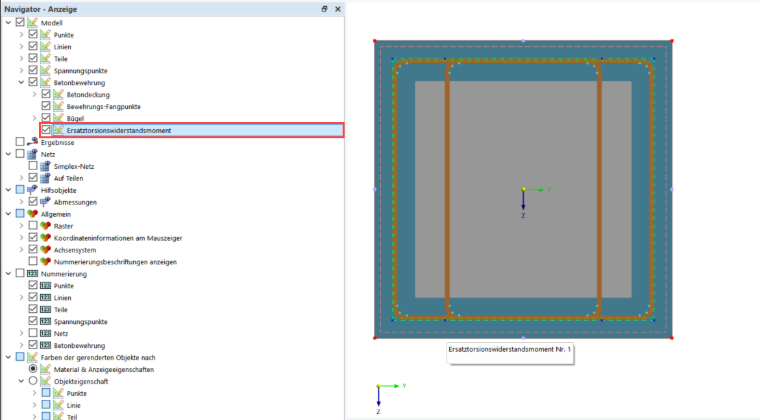
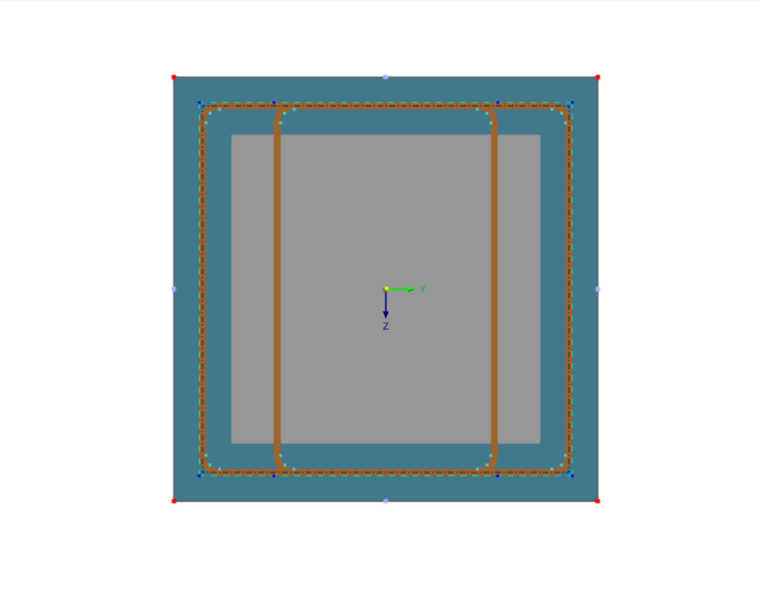
The following image shows a box girder section with stirrups and the equivalent thin-walled section formed from them:
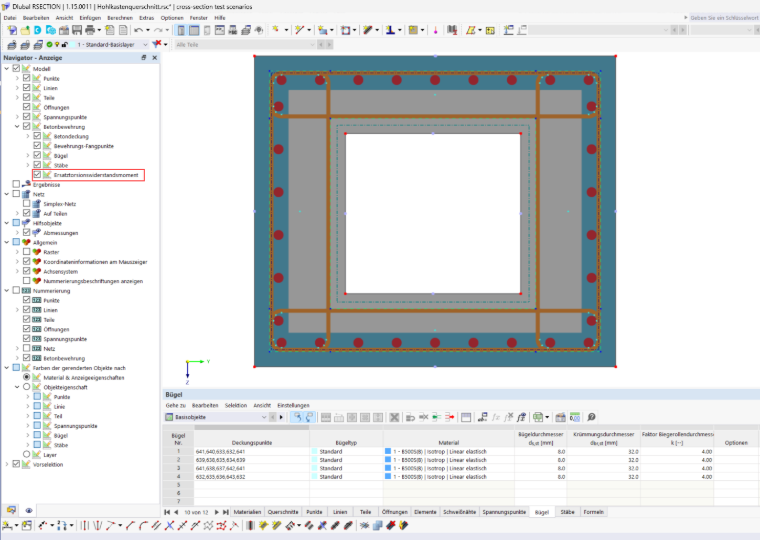
Creating Equivalent Thin-Walled Section
Only closed stirrups are considered for the equivalent thin-walled section. A stirrup of the Standard type is closed if the start cover point is identical to the end cover point (see the section Cover Point No.). Open stirrups are ignored and are not included in the shear design.
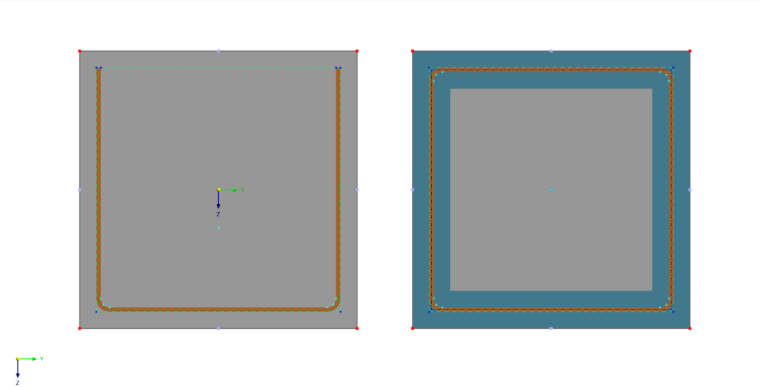
The program combines all closed stirrups and only uses the outer edge of the combination. This outer edge forms the center line of the equivalent thin-walled section. Stirrup legs that lie within the combination are not taken into account. Separate stirrups that do not touch each other result in separate equivalent cross-sections.
The center line of the equivalent thin-walled section runs through the center of the stirrup member. The effective wall thickness tef is not determined in RSECTION, but in the Concrete Design add-on according to the selected standard.
Rules
The following rules apply when creating an equivalent thin-walled section:
- Convex shape: An equivalent thin-walled section should be convex; that is, all interior angles of its boundary are less than or equal to 180°. If the outer boundary of the combination has an reentrant corner, it is divided at that point into several equivalent thin-walled sections.
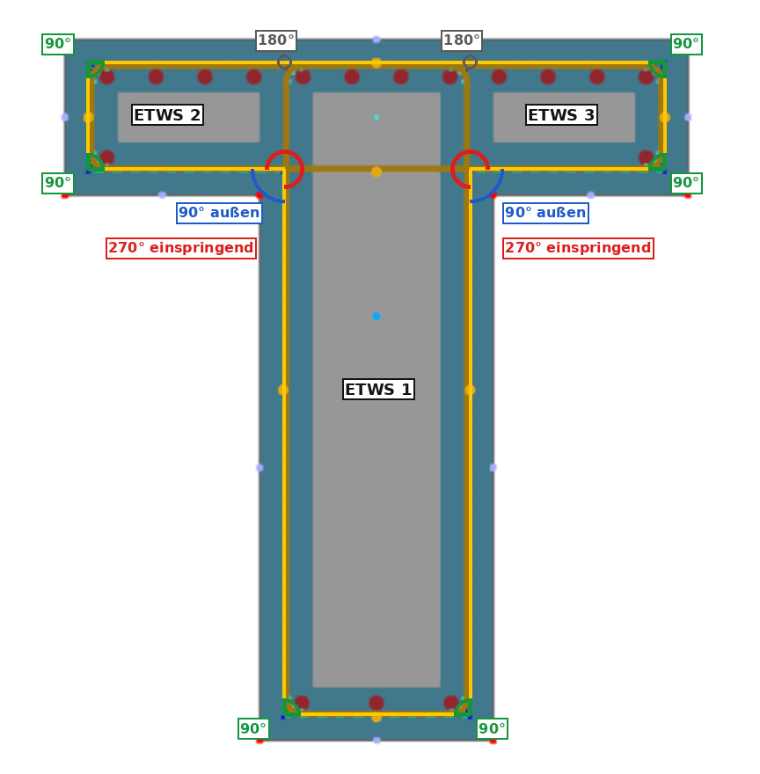
- Intersecting stirrups: If a reentrant corner occurs at the intersection point of two stirrups, the larger surface cuts off the smaller one. The stirrup leg at this point forms the common boundary of the two
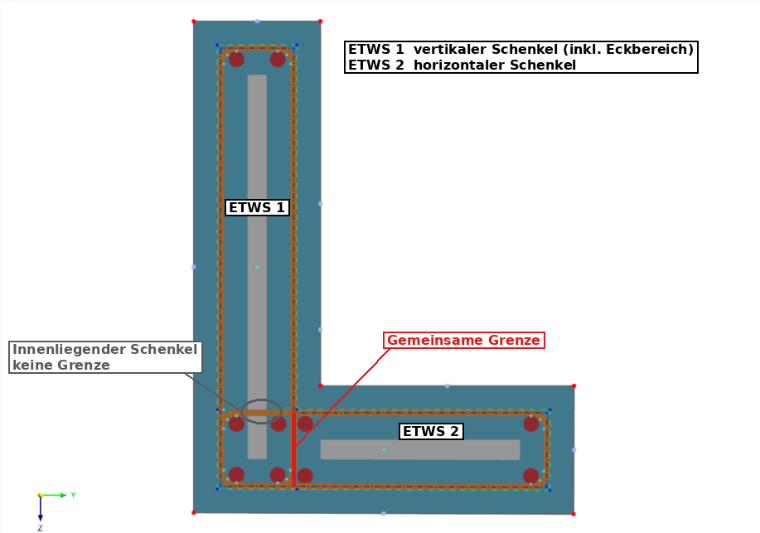
- Internal stirrup legs: Stirrup legs that lie within an equivalent cross-section and do not create reentrant corners do not form a boundary.
Display
You can display the equivalent thin-walled section in the Navigator – Display using the Equivalent Torsional Section Modulus option. This display is disabled by default.