


Connectors are used to connect the individual parts of a composite cross-section.
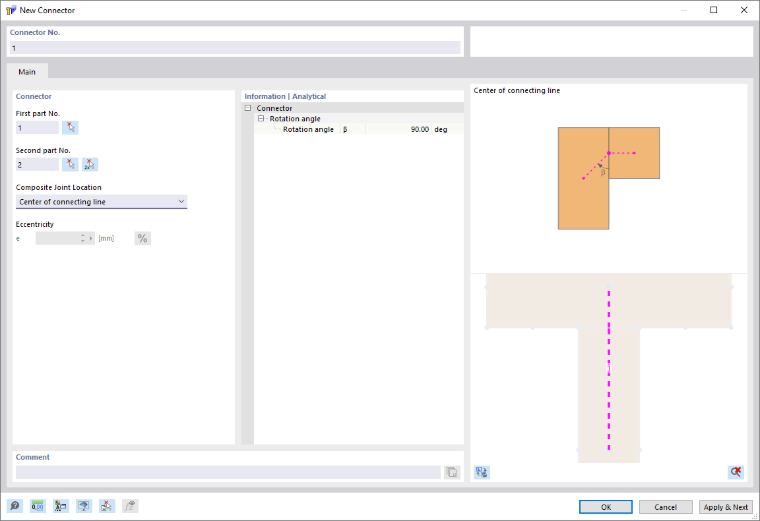
The connector number is assigned automatically, but can be changed. The order of the numbers does not matter. It is not necessary for the numbering to be consecutive; gaps in the numbering are allowable.
First Part No. / Second Part No.
The first and second parts specify which parts are connected to each other by the connector. The assignment as the first or second part is relevant for later use in RFEM. If a line hinge is defined for the connector in RFEM, it is positioned on the first part.
Composite Joint Location
The connector is generated between the centroids of the two parts. The composite joint lies on the common line connecting the two parts. The connector thus extends from the centroid of the first part to the composite joint and from there to the centroid of the second part.
By selecting Center of connecting line, the composite joint is positioned at the center of the common connecting line. As an alternative, you can select Center of connecting line with eccentricity to specify an eccentric location of the composite joint on this connecting line. The eccentricity is defined in the Eccentricity e text box.
If the two parts do not share a common connecting line, the connector is defined directly between the centroids of the two parts. In this case, the location of the composite joint cannot be specified on a connecting line.
Information | Analytical
This section shows the angle between the connector of the first part and the common connecting line of the two parts.