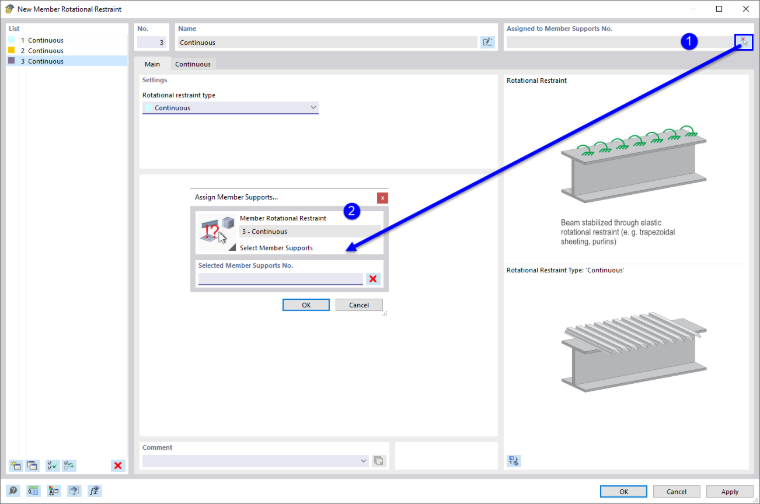
Member rotational restraints provide the ability to consider the torsional restraint of a member or member set about its longitudinal axis through structural components such as bracing or roof cladding. A member rotational restraint is taken into account when determining the critical lateral-torsional buckling moment or the critical load factor for lateral-torsional buckling if these are calculated using the internal eigenvalue solver. In this case, a constant rotational spring is applied across the entire member set or individual members.
Member rotational restraints are generally not relevant for timber structures, as there are no timber-specific analyses in the literature regarding the consideration of rotational springs. For the sake of completeness, however, this option is still offered in the program.
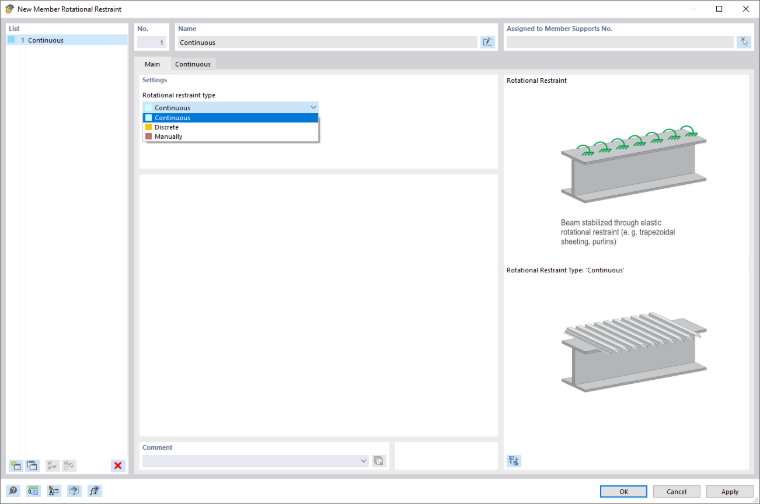
Rotational Restraint Type
The list offers several rotational restraint types to select from (see the image Dialog Box “New Member Rotational Restraint”)
- Continuous
- Discrete
- Manually
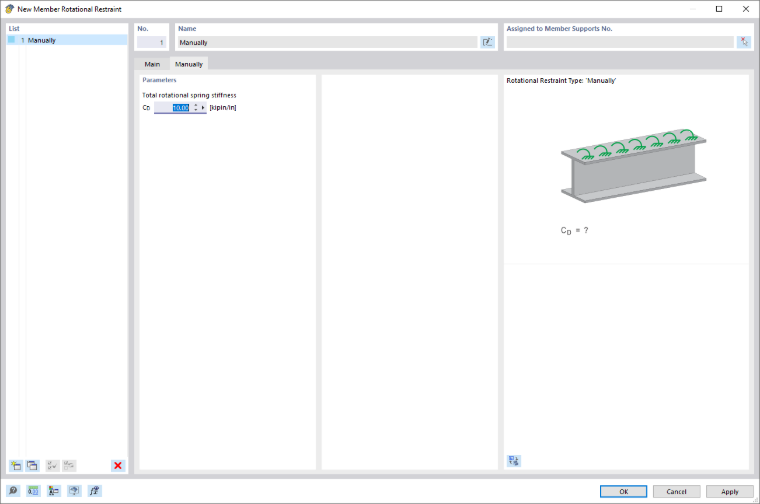
Manually
You can manually specify the values for the rotational spring stiffness CD.
Assignment via Member Support
The member rotational restraint should be assigned to a member or member set using a member support. To do this, use the graphical selection option by clicking the
 button (see the image Assigning Member Support) or use the member support dialog box. In the “Nonlinearity / Fictitious Stiffnesses” list, select the “Rotational restraint about x” option.
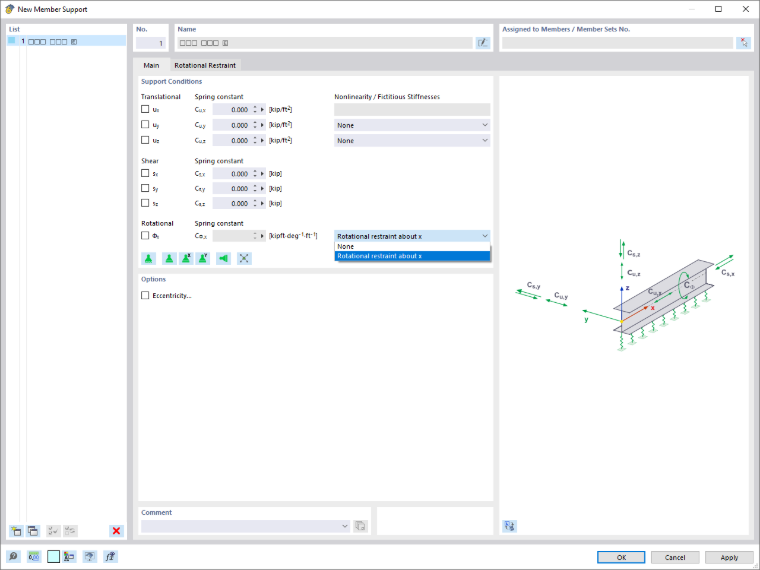
In the “Rotational Restraint” tab, you can assign the corresponding member rotational restraint.
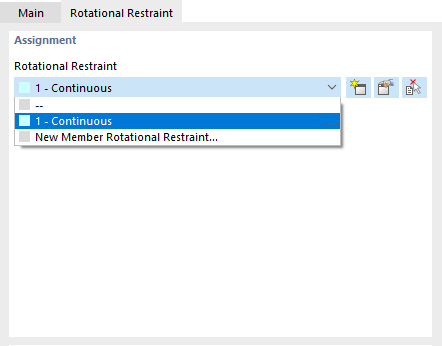
In the editing dialog box of the member rotational restraint, you can also assign the rotational restraint to a member support graphically using the
 button. However, it is necessary to define a fictitious stiffness of the “Member rotational restraint about x” type for the member support.