Answer:
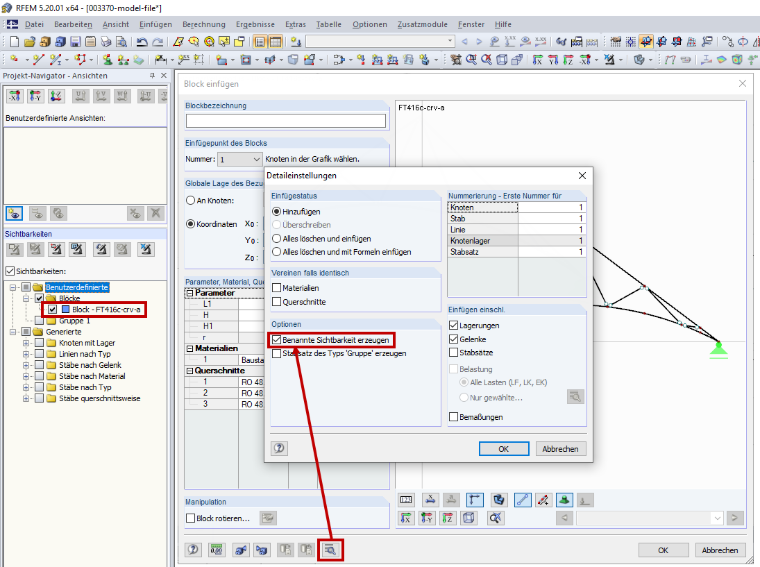
When inserting a block, the assignment to the block defined in the Block Manager is lost, so it is not possible to update the already inserted block after the block is changed in the Block Manager. However, you can create a named visibility for this block in the detail settings of the "Insert Block" dialog box (Image 01). This way, you can use Project Navigator - Views afterwards (Image 01) to quickly find this block and replace it with the updated block.