


Two adjoining lines or members can be merged into one line or member. The program provides two options.
Node Shortcut Menu
Right-click the shared node. In the node shortcut menu, select the Delete Node function.
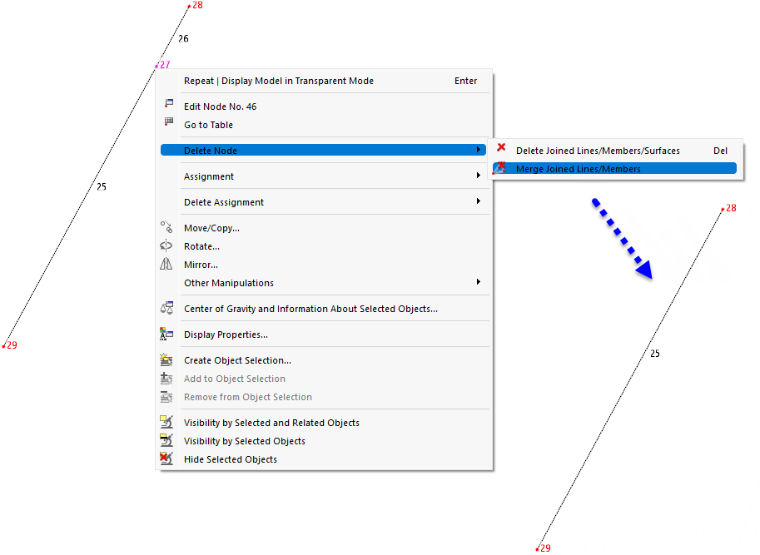
The first option is similar to deleting with the Delete key: The selected node and the lines, members, and surfaces connected to it are removed. On the other hand, the Merge Connected Lines/Members option only deletes the node and merges the two lines or members. This option is available for nodes to which exactly two lines or members are connected.
Menu Function
- Select the shared node.
- From the Tools menu, select the Delete Node and Merge Connected Lines/Members function (see the image Modeling Tools in Menu "Tools").