


In the Sensor Sets dialog box, you can select sensors whose results are to be statistically analyzed.
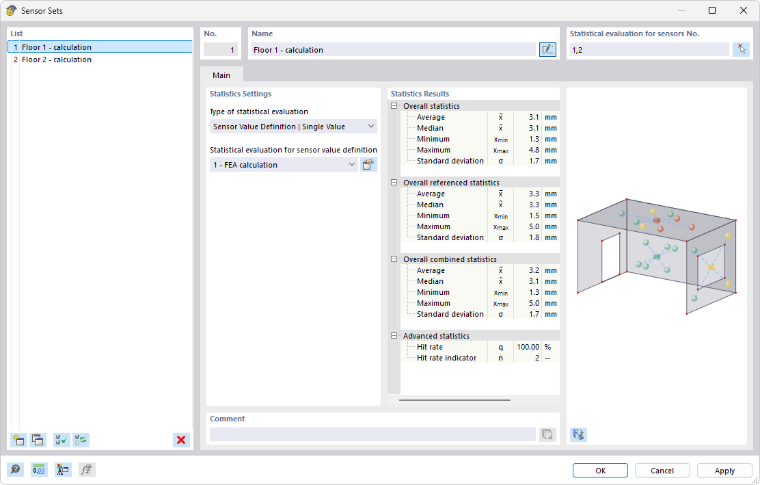
Statistical Analysis for Sensors
Enter the numbers of the sensors that are relevant for the analysis in a sensor set. Use the
 button to select the sensors graphically in the work window.
Statistics Settings
The “Type of statistical evaluation” list provides two options:
- Sensor Value Definition | Single Value: Evaluation for original values with individual results
- Sensor Value Definition | Function: Analysis for original values with results from functions
In the “Statistical evaluation for sensor value definition” list, select which of the stored sensor value definitions should be used for the analysis.
Statistics Results
This section lists the results of the statistics analysis for the defined sensors. Here you will find—depending on the sensor value definition—information on average values, extreme values, standard deviations, and hit rates.