Answer:
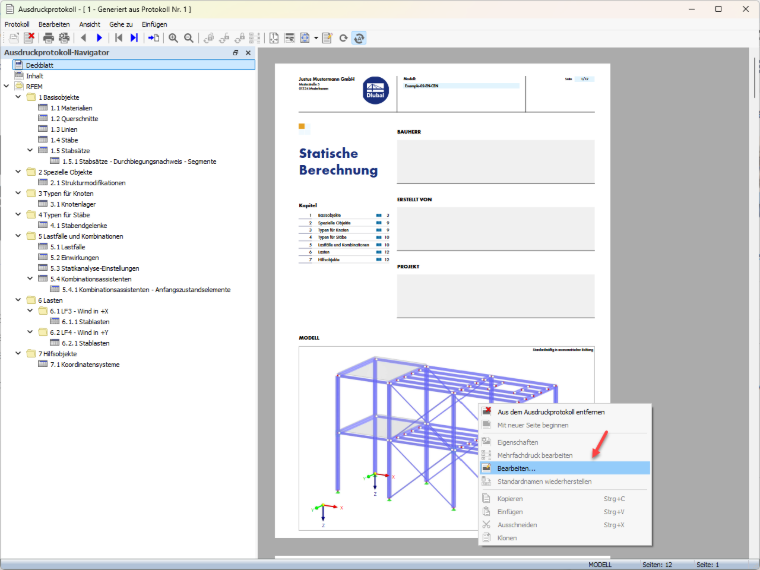
In the printout report, right-click the image and select “Edit” from the shortcut menu.
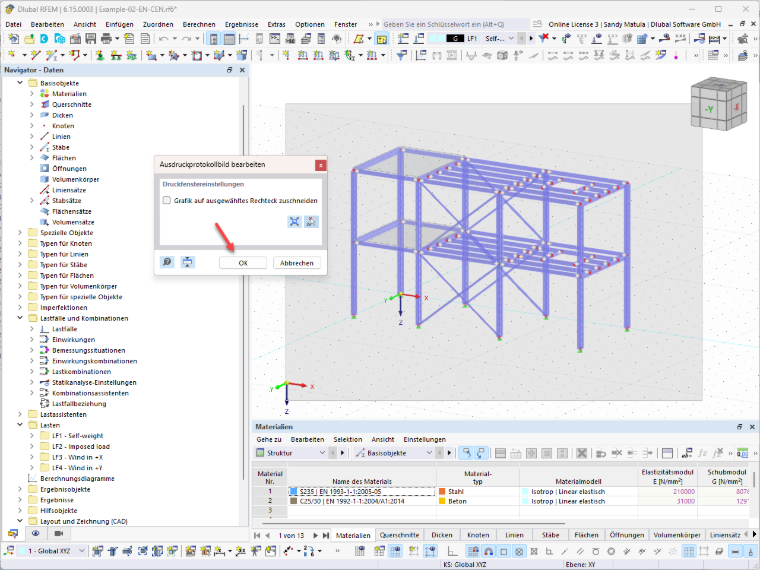
This will take you back to the main working window of the program. There, you can adjust the view, show or hide numbering, and display loads or results, for example.
When you return to the printout report, the cover page image is automatically updated.