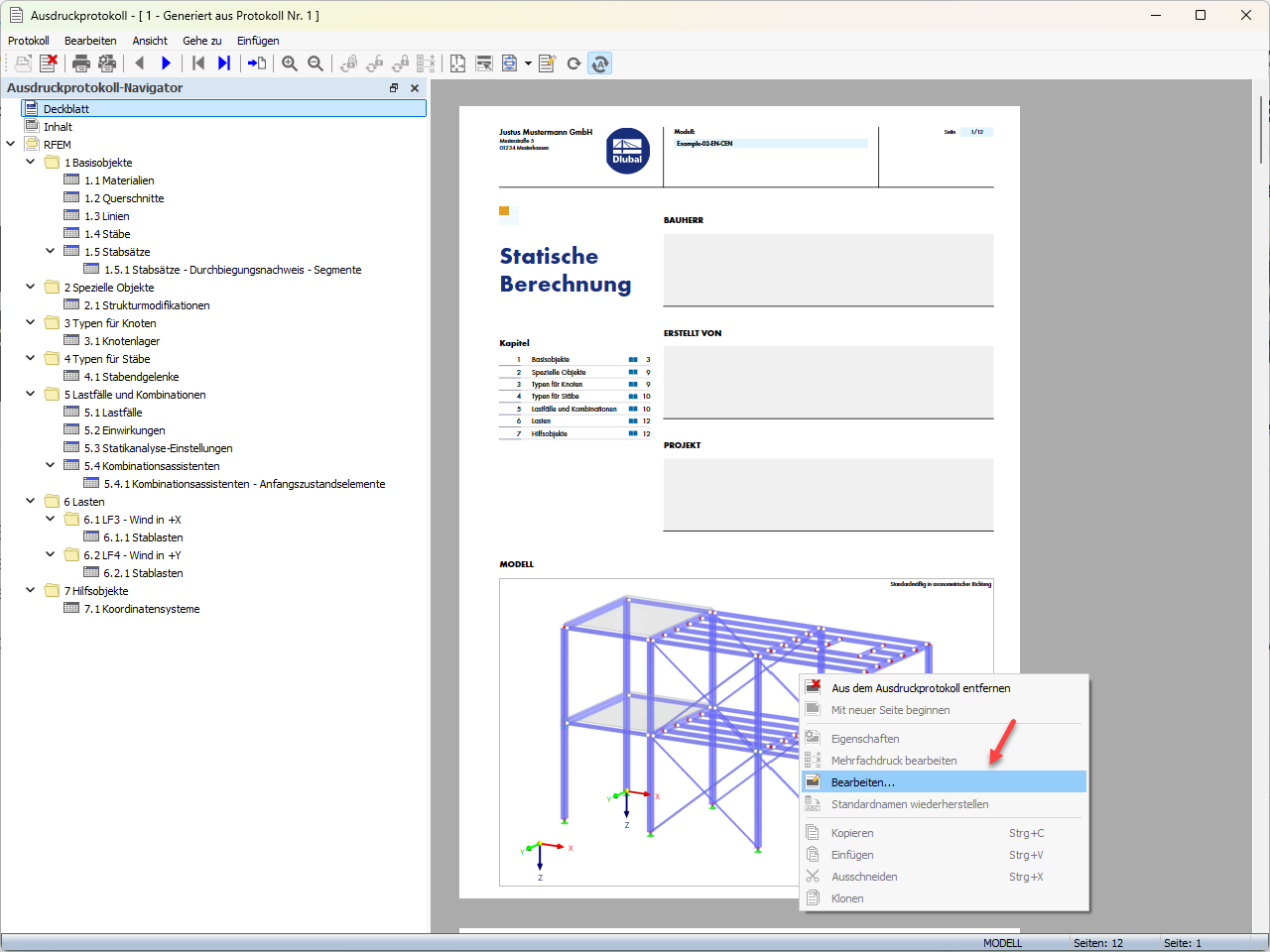
Cover page of a printout report; the “Edit” option selected from the shortcut menu.
2026-07-23
063991
  • RFEM 6

Editing Cover Page in Printout Report

Cover page of a printout report; the “Edit” option selected from the shortcut menu.

The image shows the cover page of a printout report. Right-click the image of the cover page. In the shortcut menu that appears, select the “Editing” option.
  • Edit cover page
  • Printout report
  • Shortcut menu
  • Right-click
Used in
  • Changing Cover Page Image in Printout Report
Share