Answer:
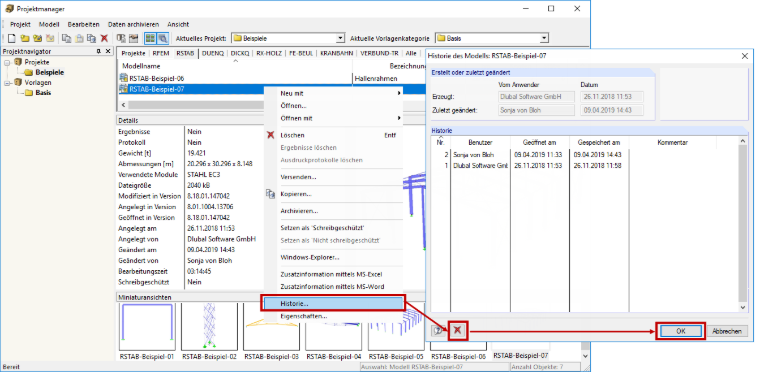
The work time can be deleted in the history of the model. To do this, select the corresponding model in Project Manager and select the "History" option in the shortcut menu. Then, click the "Delete" button in the "History of Model" window and confirm your entry with "OK" (see Image 01). In addition to the work time, the information Created on, Created by, Modified on, and Modified by is also deleted.