


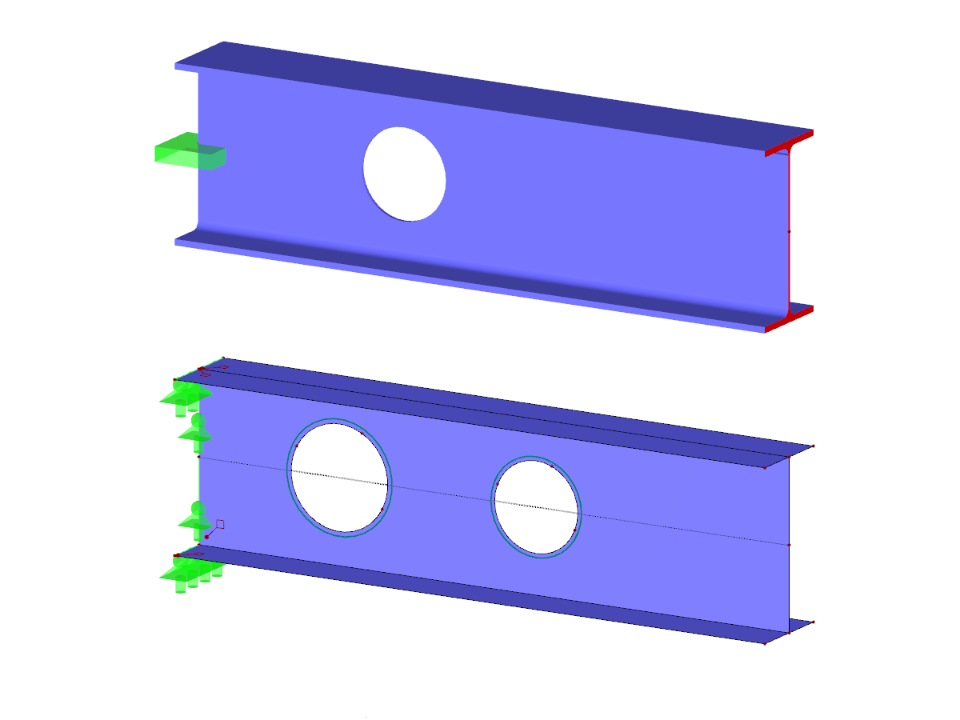
Question:
How can I consider holes in steel members?
Answer:
To perform the calculation for members in RFEM and RSTAB, you can define cross-sections to create a member with regularly spaced openings (circular or honeycomb-shaped).
If you want to position a single opening in a steel beam, you can use the “Generate Surface from Member” function and then place the opening as a circular opening in the web surface.
Model Used in
Members with Holes
| Number of Nodes | 22 |
| Number of Lines | 20 |
| Number of Members | 2 |
| Number of Surfaces | 5 |
| Number of Load Cases | 1 |
| Total Weight | 0,594 t |
| Dimensions (Metric) | 2.200 x 0.300 x 1.381 m |
| Dimensions (Imperial) | 7.22 x 0.98 x 4.53 feet |
| Program Version | 5.23.01 |
You can download this structural model to use it for training purposes or for your projects. However, we do not assume any guarantee or liability for the accuracy or completeness of the model.