


Two adjoining members can be merged into one member. The program provides two options.
Node Shortcut Menu
Right-click the shared node. In the node shortcut menu, select the Delete Node function.
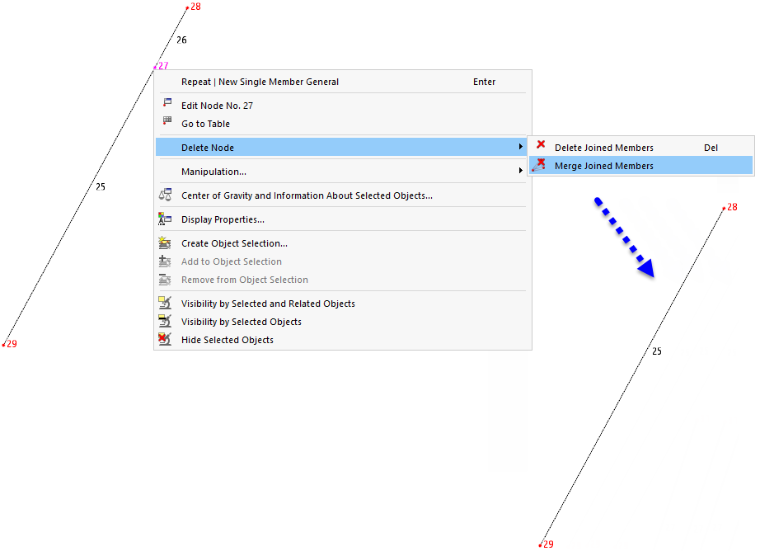
The first option is similar to deleting with the Delete key: The selected node and the members connected to it are removed. On the other hand, the Merge Connected Members option only deletes the node and merges the two members. This option is available for nodes to which exactly two members are connected.
Menu Function
- Select the shared node.
- From the Tools menu, select the Delete Node and Merge Connected Members function.