This chapter describes how to create a model and how to enter basic specifications for the analysis and design.
Creating New Model
To create a new model, you can use the following options:
- RSTAB menu: New item in the File menu
- RSTAB toolbar: Button

- Dlubal Center: New section in Models (see the image Creating New Model)
This opens the New Model – Base Data dialog box. The dialog box is described in the following subchapters.
Editing Base Data of Model
If you want to edit a model's base data at a later time, you can open the "Base Data" dialog box using the following options:
- RSTAB menu: Base Data item in the File menu
- RSTAB toolbar: Button

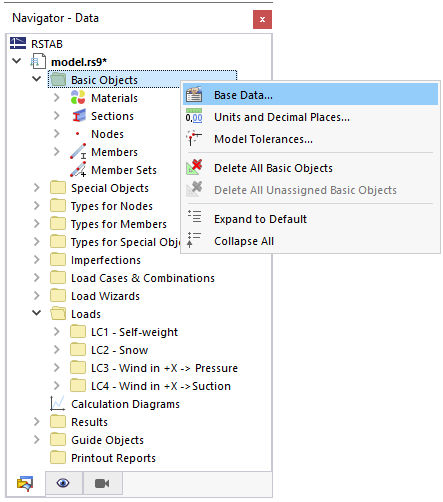
- Navigator – Data: Shortcut menu of the model name or of "Basic Objects"