


If the “Time-Dependent Analysis (TDA)” add-on is activated in the model base data, a new “Time-Dependent Analysis” tab appears in the “Static Analysis Settings” section. This allows you to adjust the analysis settings for the Time-Dependent Analysis (TDA) analysis type.
Furthermore, the Save results of all load increments option also saves all calculated load increments.
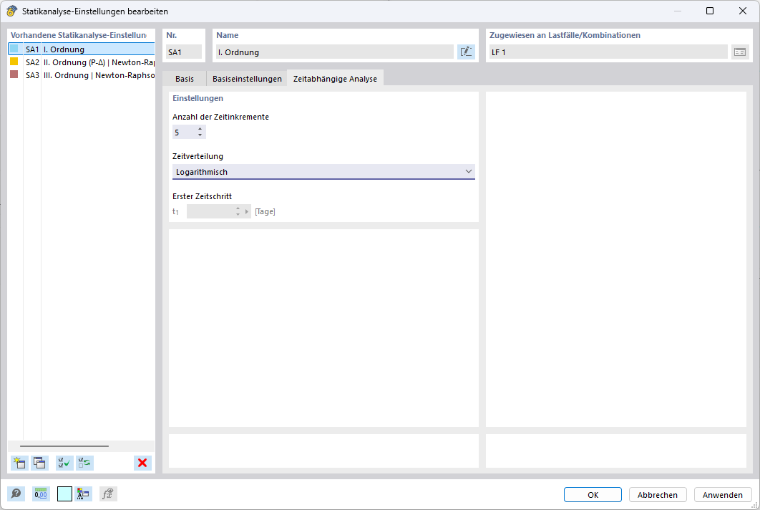
Number of Time Increment
Here you can specify the number of time increments. This setting controls how often the time range selected for the analysis should be divided for the calculation. A larger number results in a finer subdivision and generally increases both accuracy and computational effort.
Time Distribution
In this text box, you can specify the type of distribution for the previously defined number of time increments over the specified analysis time. The available options are:
- Linear
- Logarithmic
- Logarithmic with first time step
First Time Step
If you select the “Logarithmic with first time step” distribution type, you can specify the first time step in days here.