


The following overview shows the RFEM user interface. The locations in the Navigator that have extended input options when the “Time dependent analysis (TDA)” add-on is activated are marked.
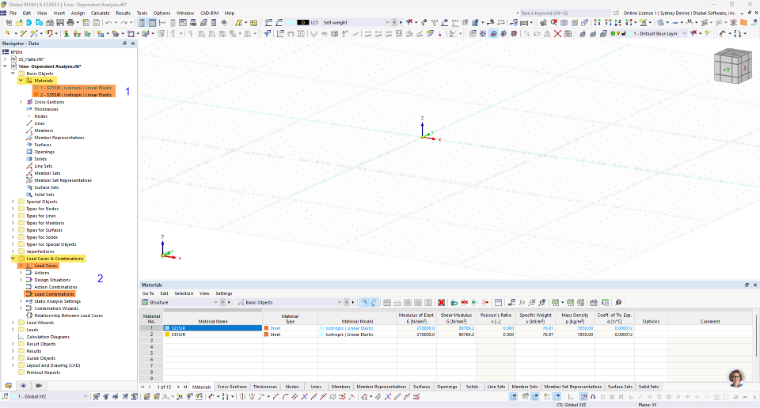
Basic Objects ➀
In the “Basic Objects” category, specific properties are added to the materials. For suitable materials and material models, an additional tab is available where you can define the time-dependent parameter of the material.
Load Cases and Combinations ➁
In the “Load Cases and Combinations” category, you can select the “Static Analysis | Time-Dependent Analysis (TDA)” type for load cases and load combinations. For this, you can specify the duration of the loading.
Static Analysis Settings ➂
The “Static Analysis Settings” category has been expanded to include an additional tab “Time-Dependent Analysis.” Here, you can control the time increments for the calculation.
Construction Stages Analysis (CSA) ➃
If the "Construction Stages Analysis (CSA)" add-on is also activated, the construction stages are extended to include time-dependent analysis.
The advanced input options are described in the the chapter Input.