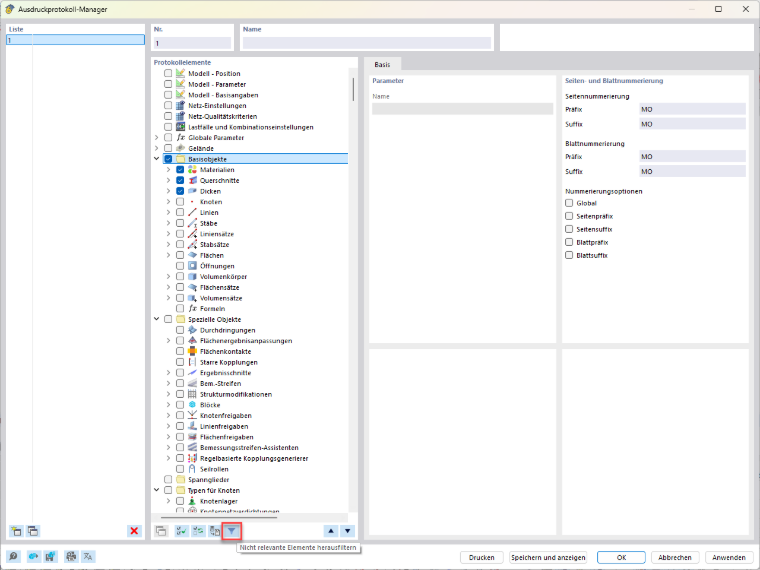
In the printout report manager, you can specify under “Report Items” which elements should be included in the printout report.
If unwanted elements appear in the printout even though their check boxes are inactive, deactivate the “Filter out irrelevant items” filter in the lower-center section of the printout report manager. This will display all report elements.
Then, check the selection and deselect all elements that should not appear in the printout report template. Finally, save the configuration by clicking “Save as Template.”
Note
When the filter is activated, certain report elements classified as irrelevant are hidden. As a result, these elements may be overlooked when reviewing the selection and still appear in the printout report later.
For complete control over the element selection, it is necessary to disable the “Filter out irrelevant elements” filter.