


Answer:
The color display cannot be adjusted directly in the printout report. It is necessary to configure the corresponding settings within the program.
The following options are available:
Optimize Lighting
Adjust the model's lighting settings to achieve a brighter display.
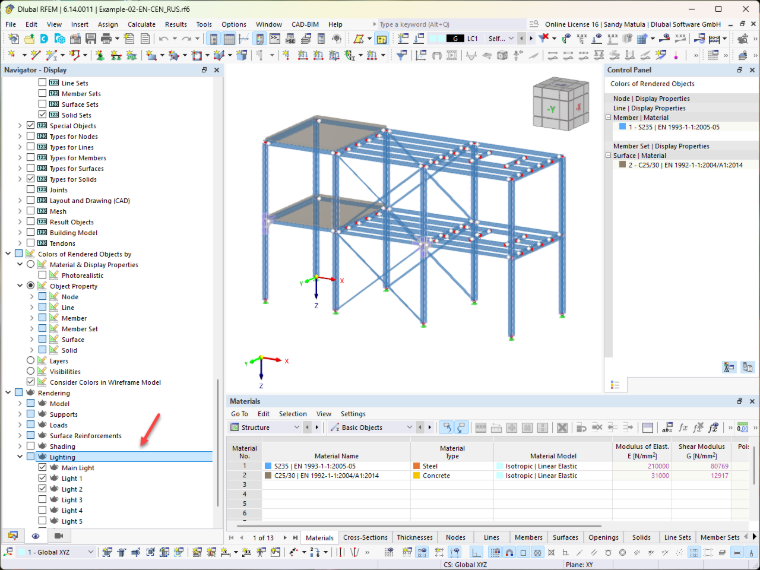
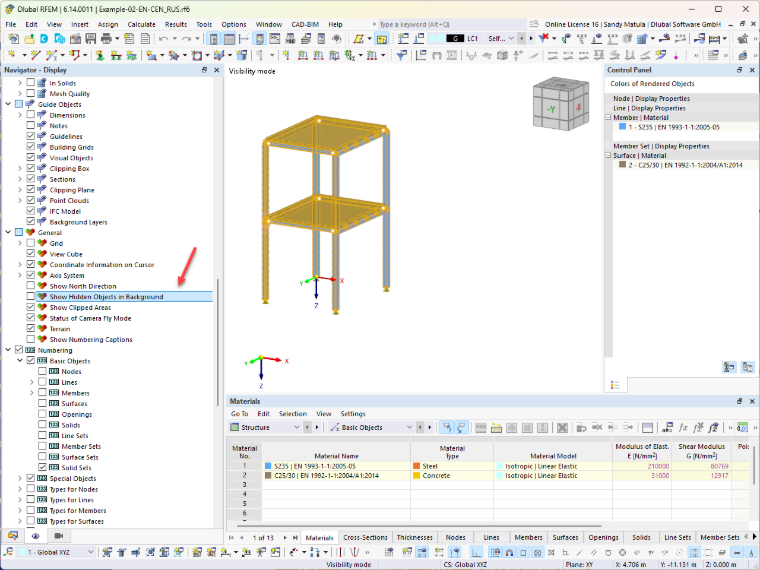
Hide Hidden Objects
Hide hidden or unnecessary objects to improve the clarity of the display.
Adjust Display of Inactive Objects
In the program options, you can individually adjust the brightness and the intensity of the display for inactive objects.
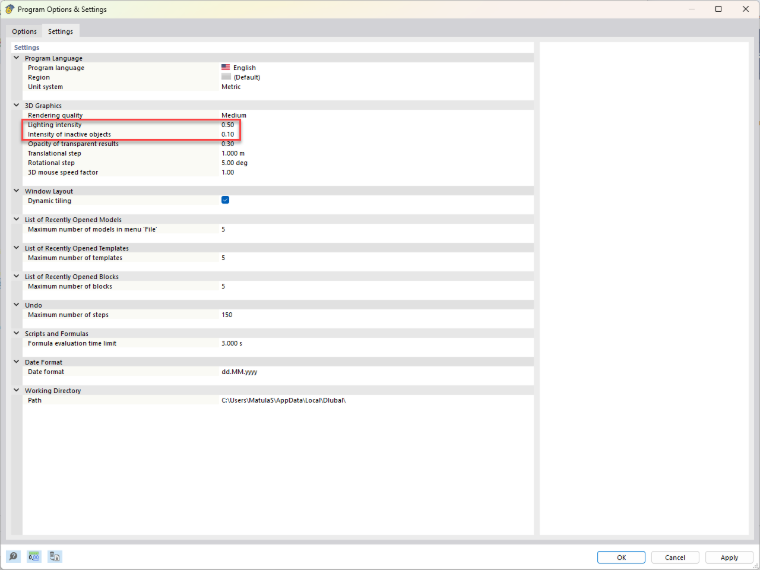
After adjusting these settings, the modified display will also appear in the printout report