Answer:
Check to see if your customer account has administrator rights.
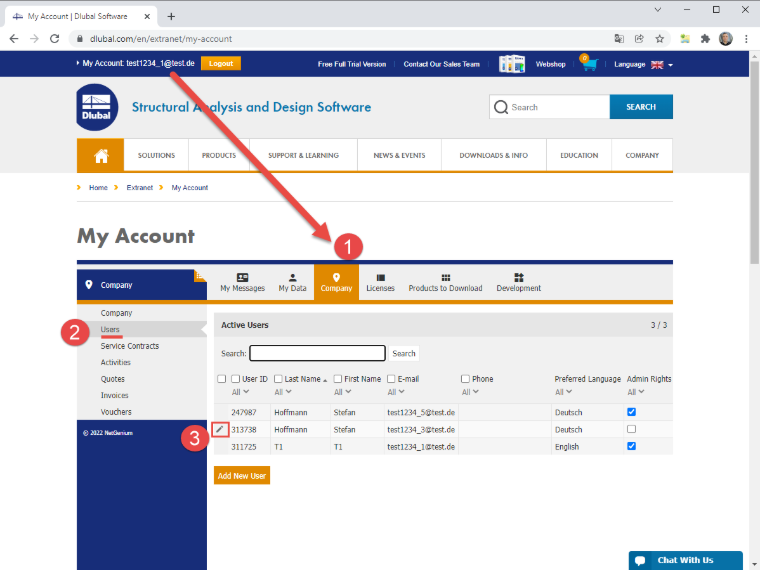
You can then view the list of your contacts under Company – User. When moving the mouse over a contact, a small pen icon appears at the beginning of the line, which allows you to edit the contact.
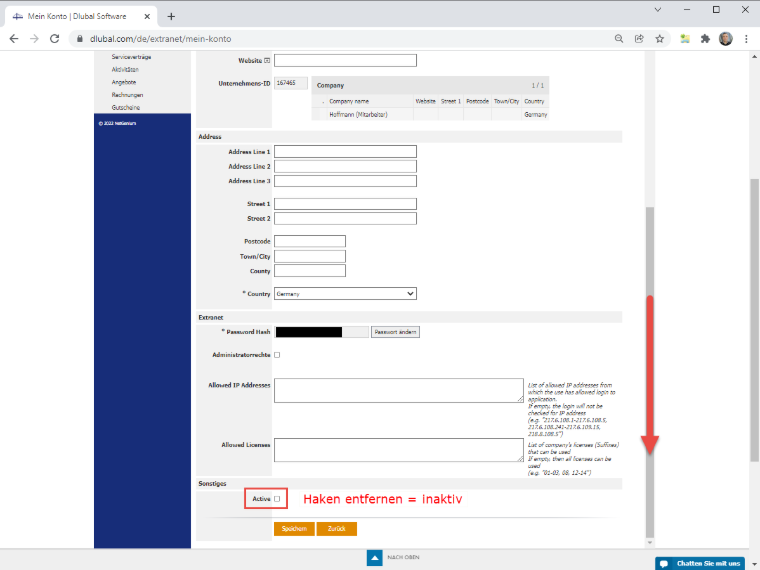
In the Contact, you can adjust the stored information, if necessary. To set the contact as inactive, scroll all the way down. There, you will find the Active check box under Miscellaneous. Clear the check box to deactivate a user. Save the data set.