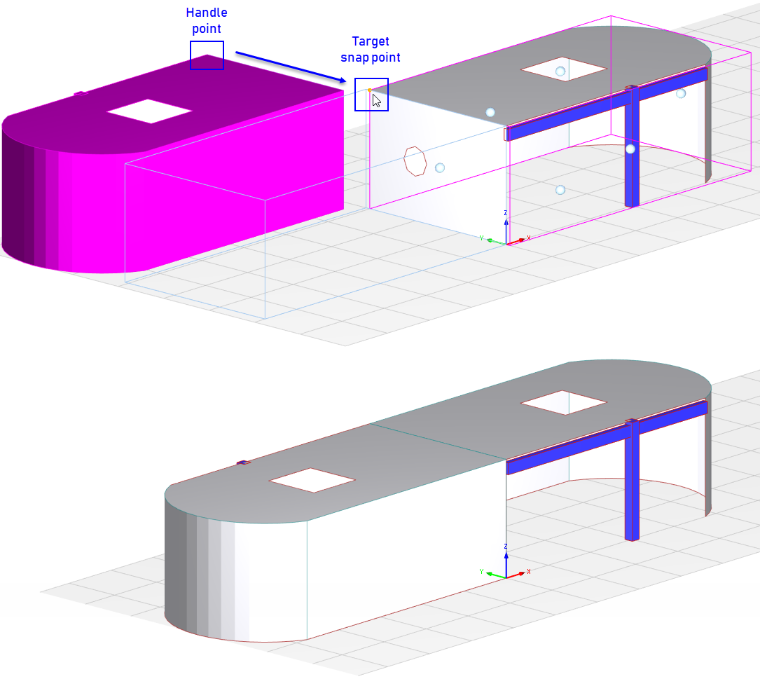
The drag and drop function allows you to move selected model and load objects in the working window or copy them by pressing the [Ctrl] key.
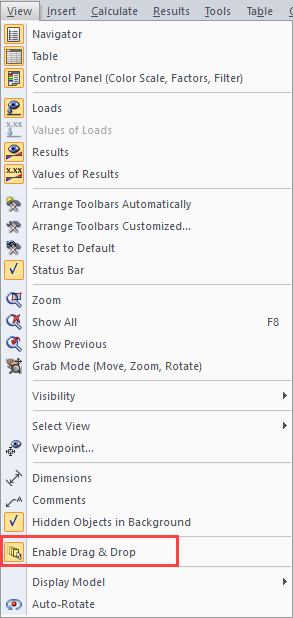
You can enable or disable the drag-and-drop feature in the general shortcut menu and in the "View" menu.
Sign up for the Dlubal Extranet to get most of the software and have exclusive access to your personal data.
Sign up for the Dlubal Extranet to get most of the software and have exclusive access to your personal data.
Sign up for the Dlubal Extranet to get most of the software and have exclusive access to your personal data.
The Dlubal Structural Analysis Wiki explains technical terms used in structural analysis and design. The terms are given in alphabetical order and are usually used in Dlubal Software.
The drag and drop function allows you to move selected model and load objects in the working window or copy them by pressing the [Ctrl] key.
You can enable or disable the drag-and-drop feature in the general shortcut menu and in the "View" menu.