


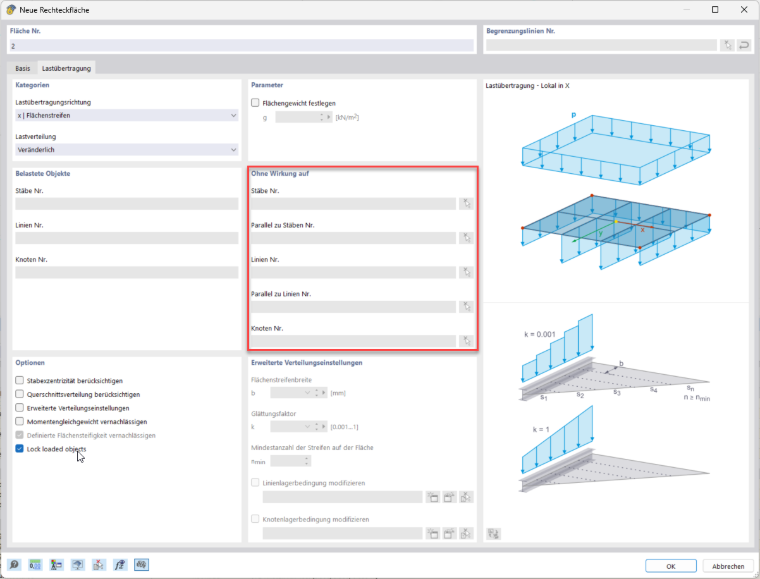
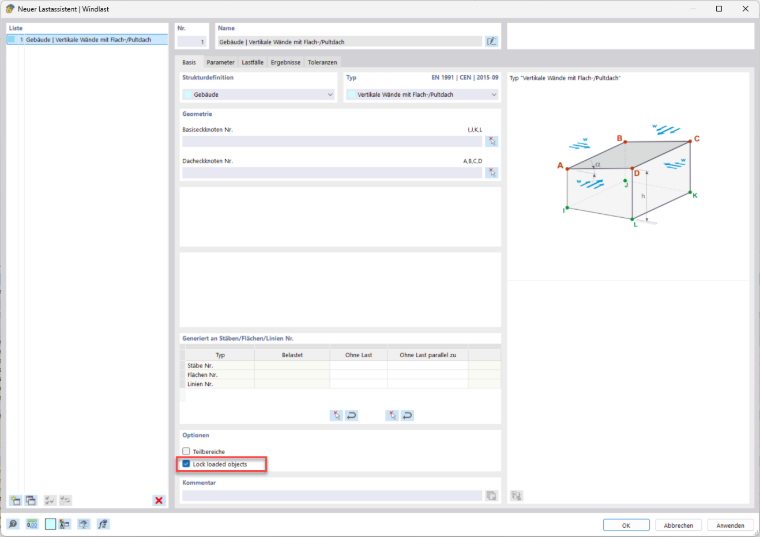
General Description: A new option, “Lock Loaded Objects,” has been added for managing load transfer surfaces. This option allows for automated handling of object selection with the following properties: When the option is activated: The “Remove Influence From” section is locked for manual editing. Newly detected objects (for example, new objects linked to the surface) are automatically absorbed into the “Remove Influence from” section. Deleted loaded objects are automatically removed from the section. The section retains its automatic management. When the option is deactivated: The “Remove Influence from” section is unlocked for manual editing. The previous object selection is retained and can be manually adjusted. Special Cases 1. Change in load transfer direction when the option is activated. If the “Lock Loaded Objects” option is activated and the load transfer direction is changed, the detected loaded objects may change. The following rule applies: Objects can only be removed from the selection. New objects are not added (similar to deleting objects). 2. Adding new surfaces/members/support nodes when the option is activated. If the “Lock Loaded Objects” option is activated and new surfaces, members, or support nodes are added, ensure that: All corresponding lines, nodes, and members are automatically added to the “Remove Influence From” section. Only removals are made from the selection; no additions are made. The check boxes in the load wizard (wind and snow) have been renamed to ensure consistency with the load transfer surfaces.
New Feature: Option Lock Load Transfer Objects
;