1x
005865
2026-09-14

Graphical Highlighting of Table Rows in Model

In RFEM 5, the governing location of a result was marked in the model with an arrow. How can I also display this location graphically in RFEM 6?


Answer:

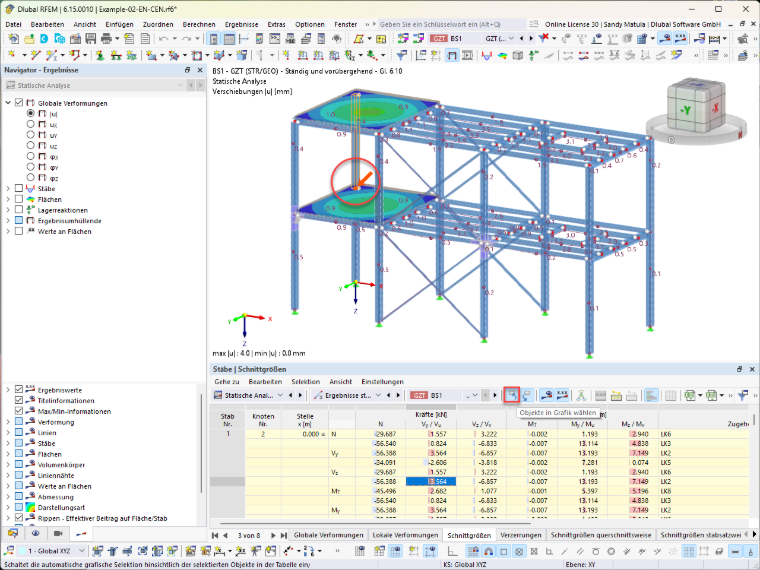
In RFEM 6, this marking is done via the "Select objects in graphic" option.

If this option is activated, clicking a row in the result or design table automatically marks the associated object in the model, analogous to the previous display of the hint arrow in RFEM 5.

Author

Sandy provides support in Customer Support for technical issues related to the software. She reliably familiarizes herself with new topics and helps develop clearly structured solutions.


;