


Answer:
In RFEM 6, you can create your own toolbars.
To do this, open Options → Customize Menus and Toolbars.
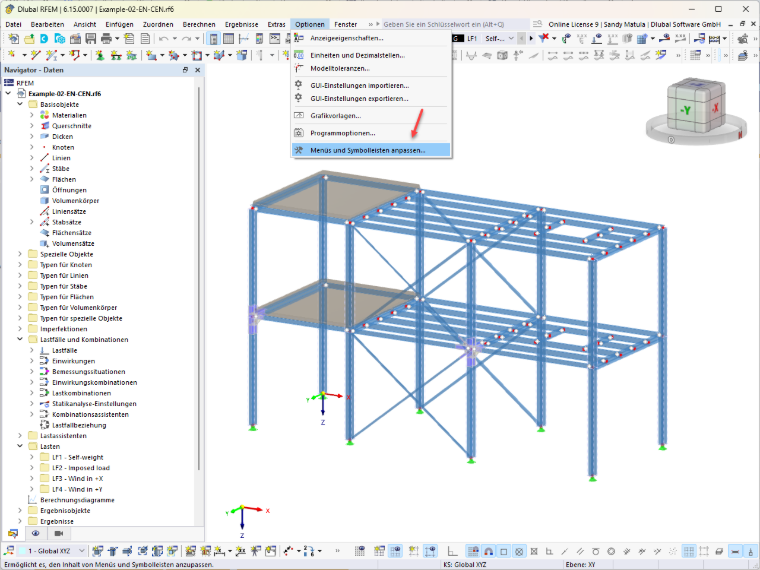
Go to the Toolbars section and create your own user-defined toolbar using New User-Defined Toolbar. You can then drag and drop the desired commands from the Commands section onto the new toolbar.
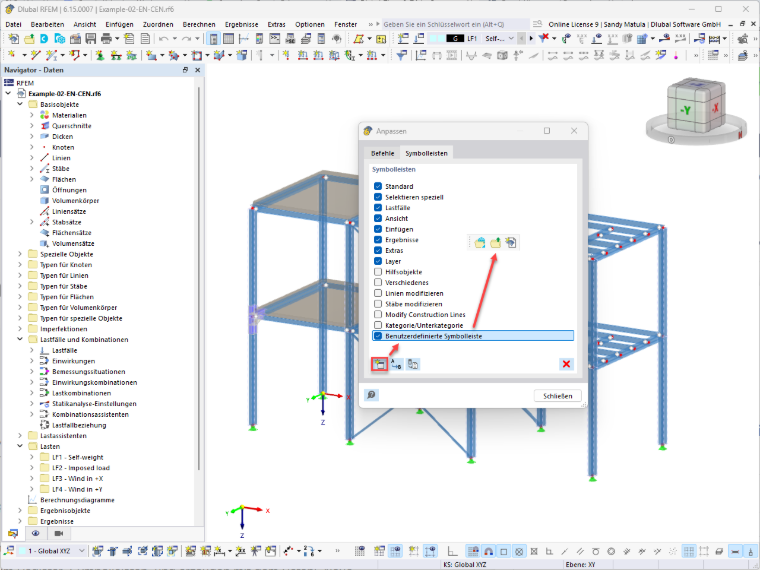
The toolbar you created can then be docked to any of the four sides of the screen.
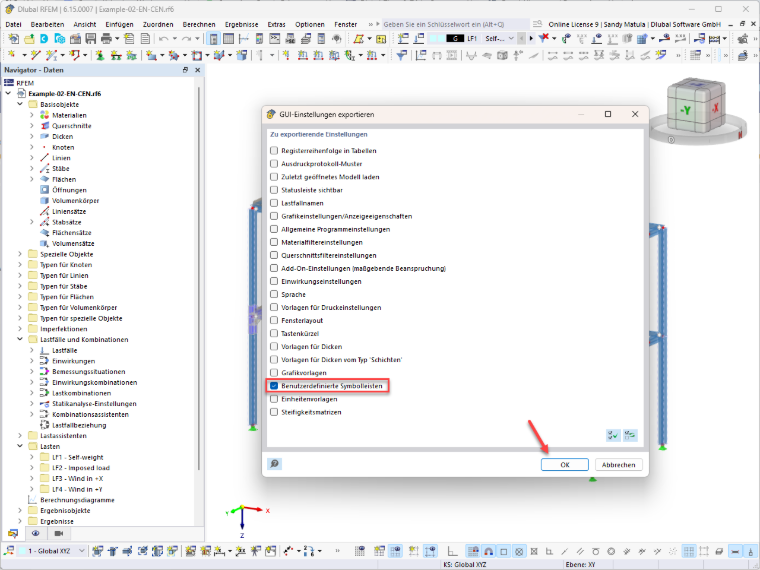
You can export your user-defined toolbars via the GUI settings and import them again after installation. This allows you to back up and restore your individual toolbars.
Important
Do not make individual changes to the predefined default toolbars, as these will be overwritten during installation.