Answer:
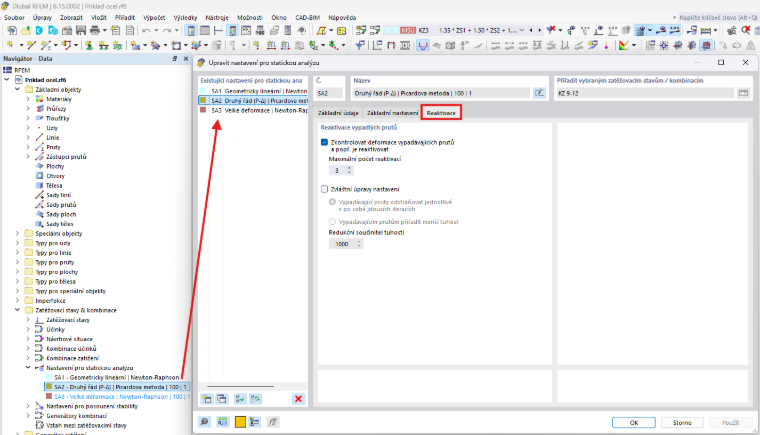
You can find the Reactivation dialog box in the Static Analysis settings.
Sign up for the Dlubal Extranet to get most of the software and have exclusive access to your personal data.
Sign up for the Dlubal Extranet to get most of the software and have exclusive access to your personal data.
Sign up for the Dlubal Extranet to get most of the software and have exclusive access to your personal data.
In RFEM 5, I used the settings in the “Reactivate Failed Members” dialog box under “Global Calculation Parameters.” Where can I find these settings in RFEM 6?
You can find the Reactivation dialog box in the Static Analysis settings.
Ing. Martinec takes care of customer service and student licenses in the Czech office.