


Answer:
In the printout report manager, you can select which load cases, load combinations, or result combinations should be included in the respective result tables.
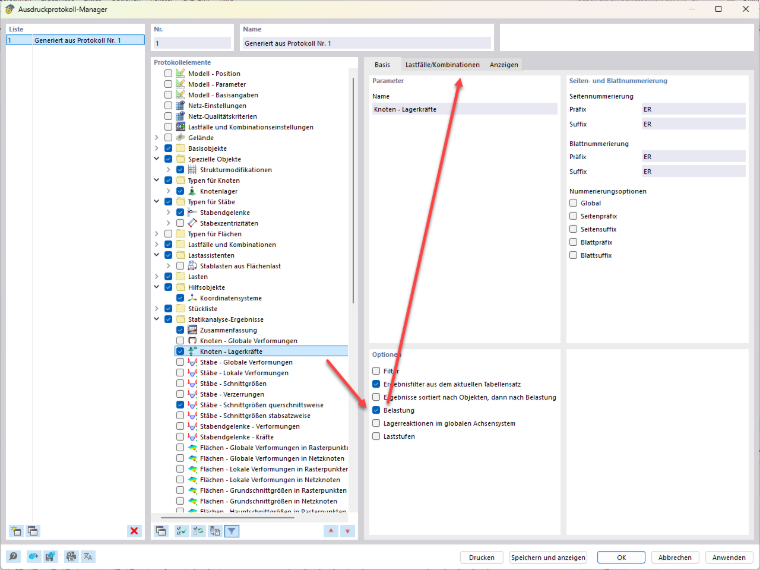
To do this, select the “Load” option in the desired table (for example, “Nodal Support Forces”). You can then select the load cases, load combinations, and result combinations you want to have displayed in the printout report.
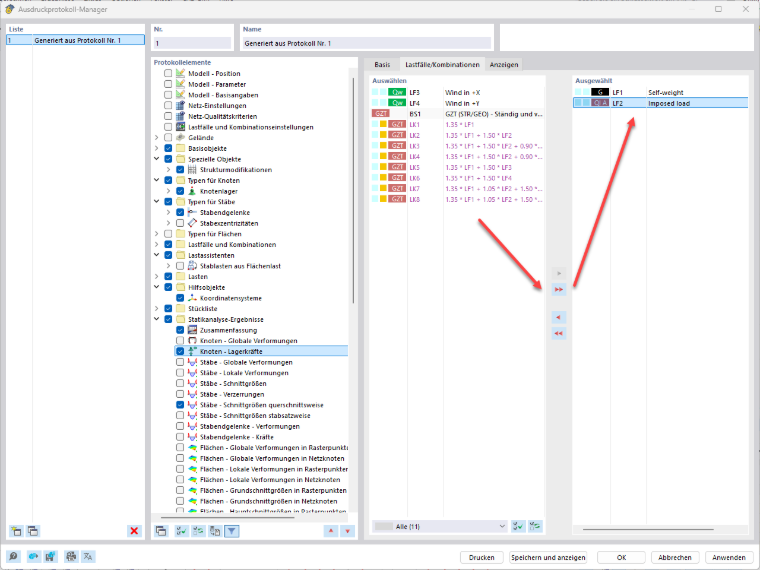
This allows you to limit the output to the relevant loads and hide unnecessary results.