


Answer:
The page settings templates are saved along with the GUI settings and can be transferred to other workstations by exporting or importing the GUI settings.
To do this, follow these steps:
- On the source PC, open the “Export GUI Settings” dialog box.
- Select the “Print Settings Templates” option.
- Export the settings to a file.
- Copy the exported file to the destination PC.
- Import the GUI settings there using the corresponding import dialog box.
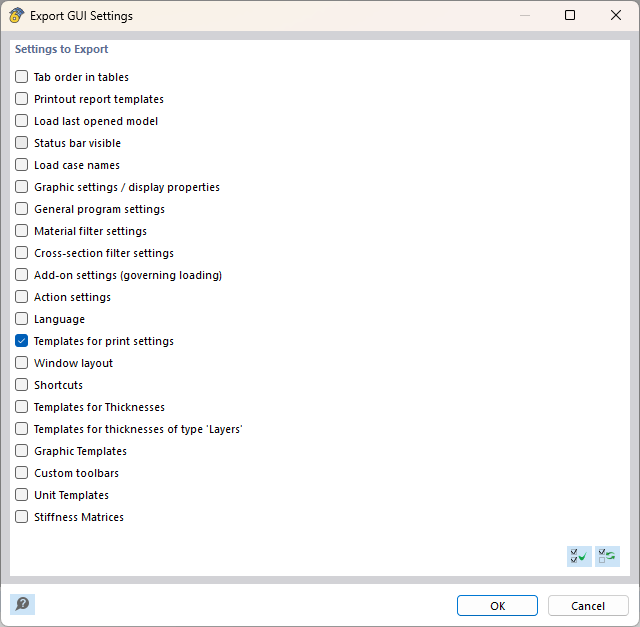
After importing, the page settings templates will be available on the destination PC.