0x
005754
2025-11-25

Excluding Members and Surfaces from Wind Simulation

I would like to exclude some members and surfaces from the wind simulation. How can I do this?


Answer:

To exclude parts of the model from the wind simulation, proceed as follows:

  1. Select the members or surfaces to be excluded.
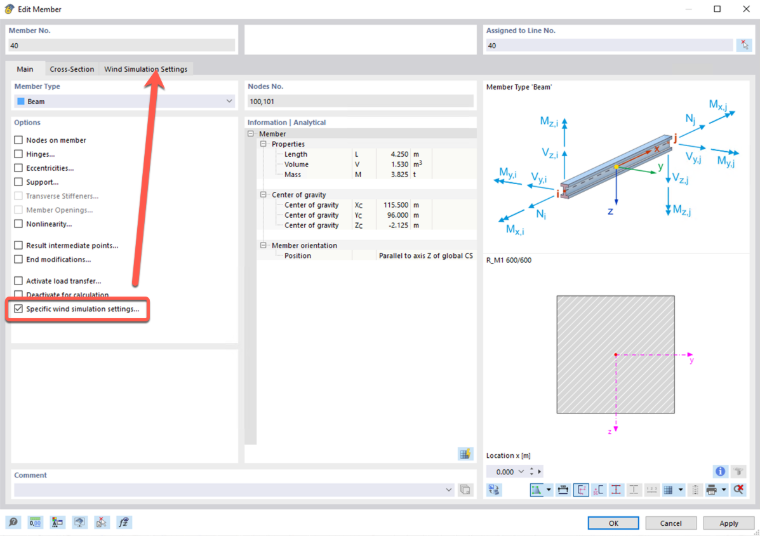
  2. Activate the “Specific Wind Simulation Settings” check box.
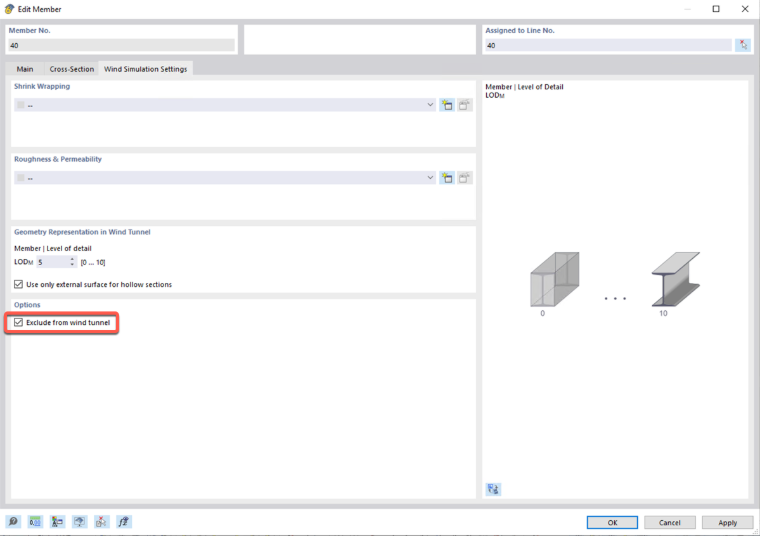
  3. Select the “Exclude from Wind Tunnel” option.
Author

Frank is responsible for quality assurance in the RFEM program and also assists with customer support. He oversees technical design processes and contributes to the stability and reliability of the software.


;