To use this function, select the desired surface and add the desired lines to the selection by holding down the CTRL key. Once the surface and lines have been selected, the function to divide the surface with the (previously) selected section lines is also available.
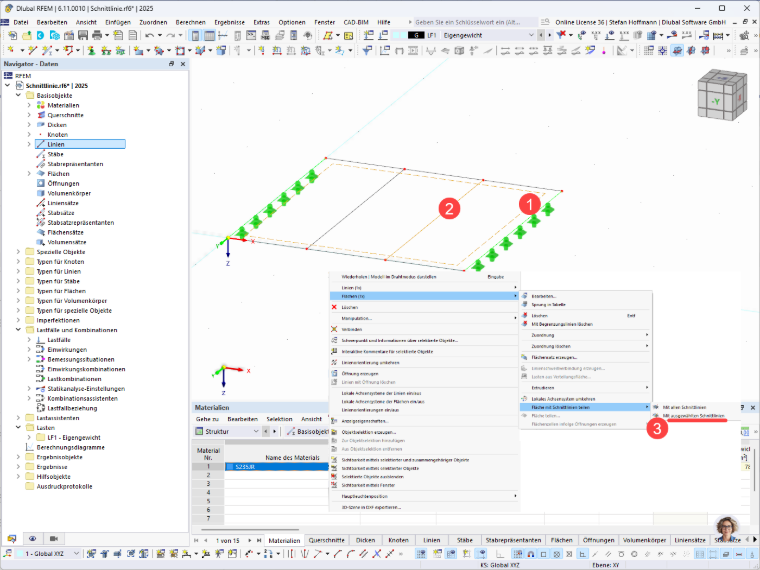
Dividing Surface with Selected Section Lines
I would like to divide my surface with selected section lines. However, the function is grayed out. What can I do?
Answer:
Author
Stefan provides support in Customer Support for technical inquiries. Even when dealing with more complex issues, he takes a structured approach and ensures that the results are easy to understand.
;