0x
005690
2025-08-11

Showing/Hiding Surface Result Adjustment in RFEM 6

Where in RFEM 6 can I show or hide surface result adjustments?


Answer:

To show or hide existing surface result adjustments in the model, proceed as follows:
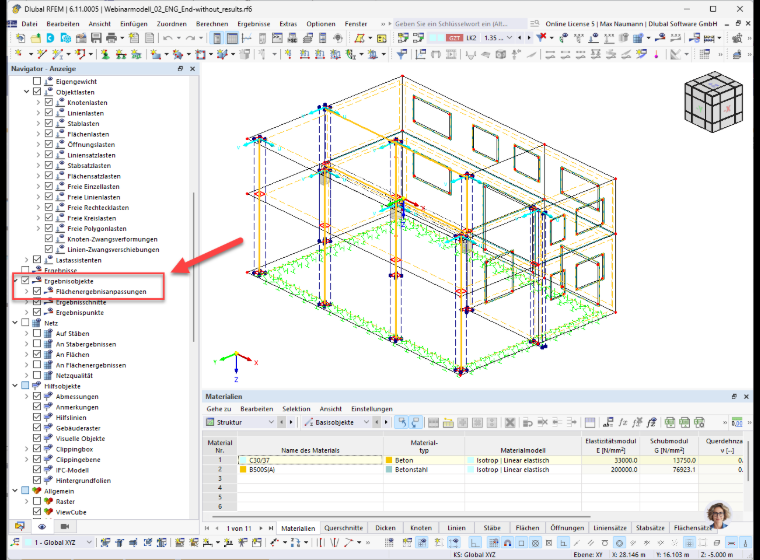

Click on the Display tab at the bottom and then navigate to Result Objects. Expand the list to find the surface result adjustments you are looking for.


Author

Max provides support in Customer Support for technical questions related to the software. With his structured approach, he ensures clear and straightforward solutions.


;