


Answer:
Option 1:
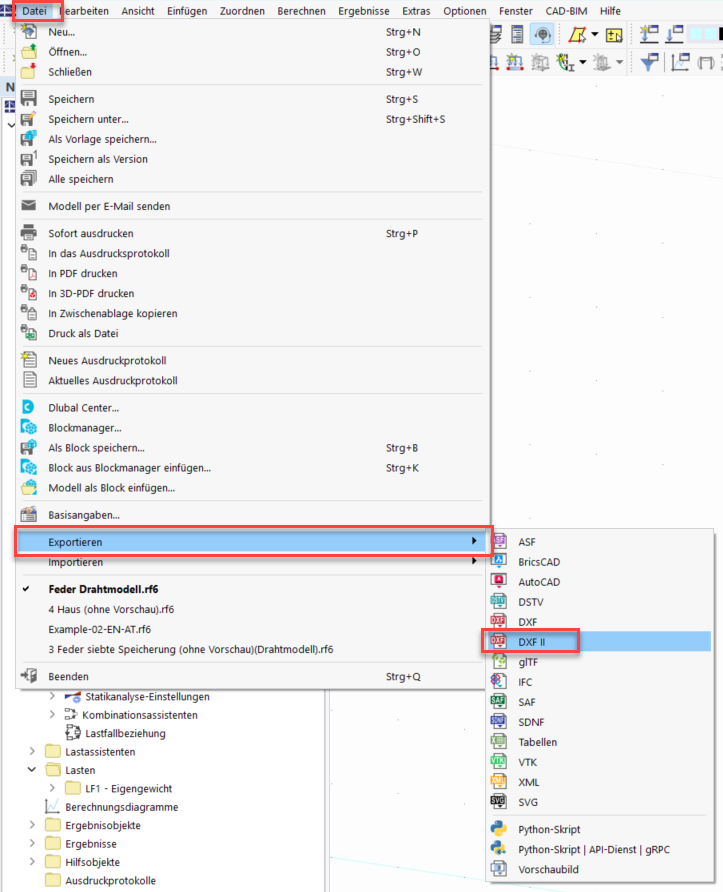
You can export the deformed geometry of an RFEM 6 model via File>Export>DXFII:
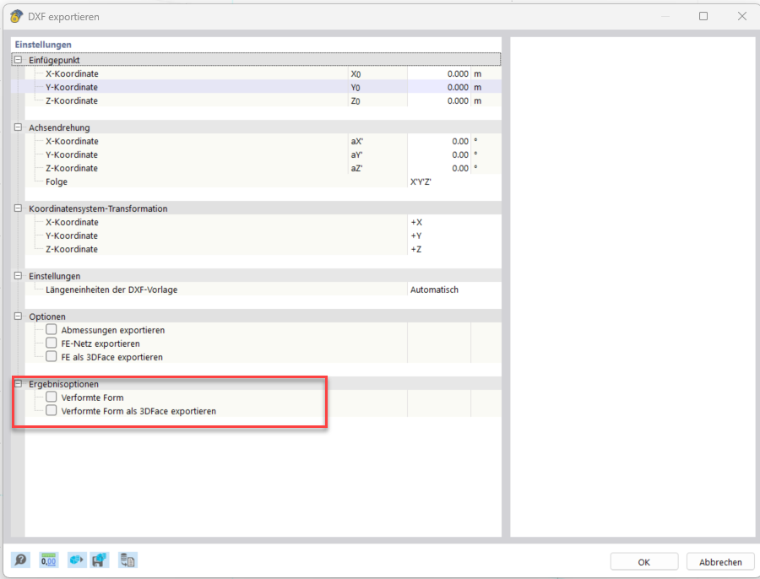
After selecting the storage location, RFEM 6 prompts you for further options for exporting the DFXII file.
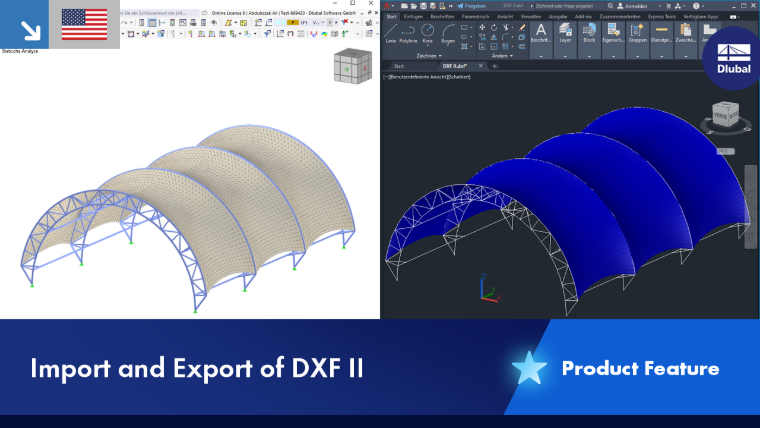
 Product Feature
Option 2:
As an alternative, you can export the deformed geometry of an RFEM 6 model by exporting the deformed mesh as CSV files using the web services interface and the following Python script:
#References
from RFEM.initModel import *
from RFEM import *
from RFEM.Results.meshTables import *
import pandas

#Establish connection to currently active model
connectToServer()
connectionGlobals.client.service.get_active_model()
Model(False,'')

#Query save directory and define name for csv files
path = input("Save directory for csv files:")
path = path.removeprefix("\"")
path = path.removesuffix("\"")

deformedNodesTableName = "deformed_nodes"
memberTableName = "members"
surfaceTableName = "surfaces"

#Read out deformed geometry
deformedNodes = pandas.DataFrame(MeshTables.GetAllFENodesDeformed())
deformedNodes = deformedNodes[["x", "y", "z"]]
deformedNodes.to_csv(path + "\\" + deformedNodesTableName + ".csv", index=False)

deformedMembersRaw = MeshTables.GetAllFE1DElements()
if(len(deformedMembersRaw) != 0):
    deformedMembers = pandas.DataFrame(deformedMembersRaw)
    deformedMembers = deformedMembers[["member_no","FE_node1_no", "FE_node2_no"]].astype(int)
    deformedMembers.to_csv(path + "\\" + memberTableName + ".csv", index=False)

deformedSurfacesRaw = MeshTables.GetAllFE2DElements()
if(len(deformedSurfacesRaw) != 0):
    deformedSurfaces = pandas.DataFrame(deformedSurfacesRaw)
    deformedSurfaces = deformedSurfaces[["surface_no","FE_node1_no", "FE_node2_no", "FE_node3_no", "FE_node4_no"]].astype(int)
    deformedSurfaces.to_csv(path + "\\" + surfaceTableName + ".csv", index=False)