0x
005264
2022-05-03

Activating Geotechnical Analysis Add-on

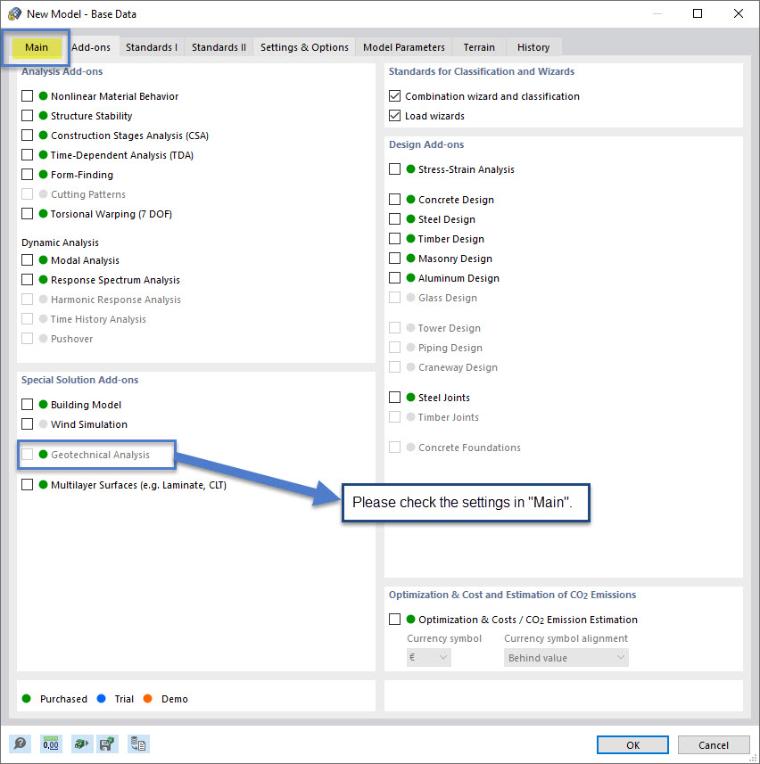
I have a license for the Geotechnical Analysis add-on and it appears as available to me. However, I cannot activate it. What could be the reason?


Answer:

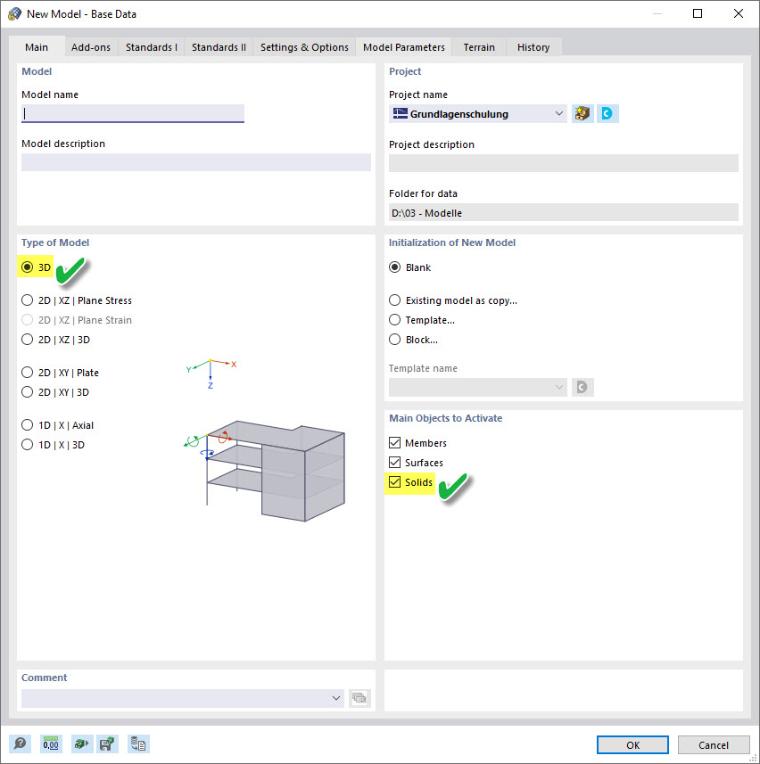
Please note that in the first "Main" tab of the Base data, it is necessary to select both the "3D" and "Solids" types of models as the main objects to activate.

As soon as you perform these settings, as shown in the image below, you will be able to use the add-on and activate it then.
Author

Juliane works in Product Engineering with a focus on geotechnical engineering and also applies her expertise in Customer Support. She combines development with practical solutions.


;