0x
004575
2023-07-11

RFEM 5 / RSTAB 8 | Assigning Model File to Existing Project

How can I assign a model file, which is currently not assigned to any project, to an existing project?


Answer:

In this case, the following procedure is recommended:

  • Open the Project Manager and search for the project you want to add the file to in the Project Navigator on the left.
  • Right-click that project and select MS Explorer.
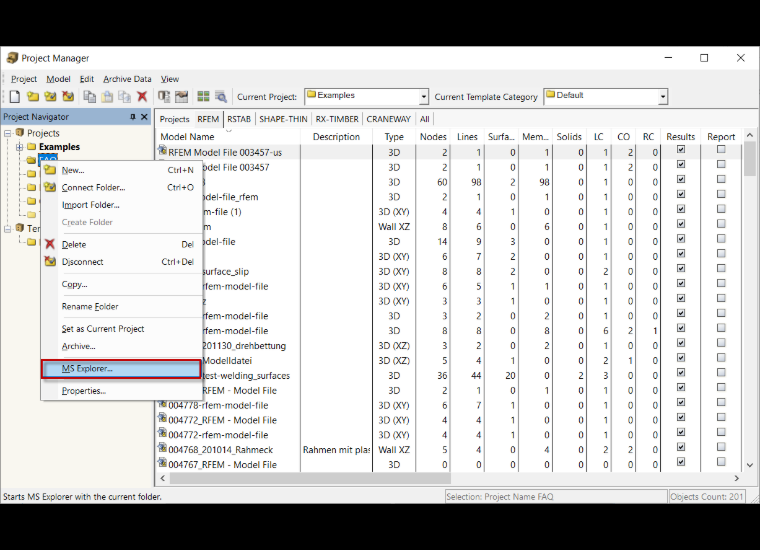
  • Drag and drop the desired file and then close Windows Explorer.
  • The file is now assigned to the desired project.

Author

Frank is responsible for quality assurance in the RFEM program and also assists with customer support. He oversees technical design processes and contributes to the stability and reliability of the software.


;