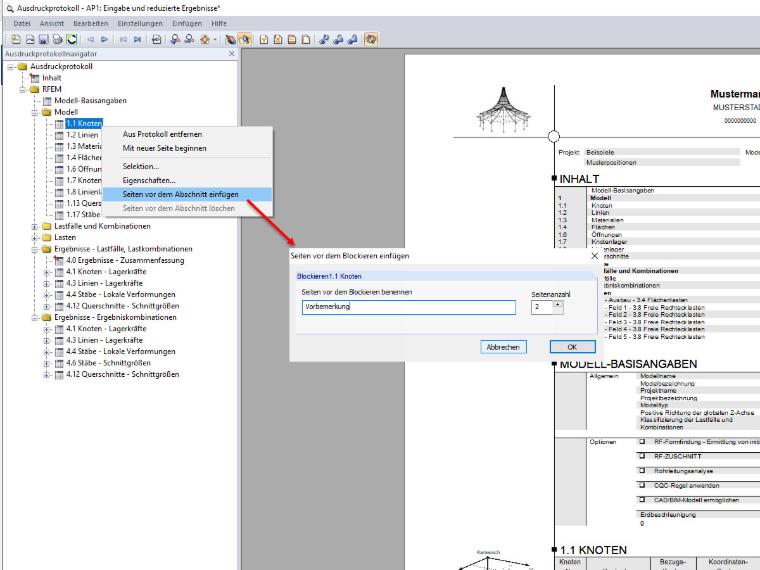
Only some fictitious blank pages are inserted and added to the table of contents. Thus, the printout report can be printed out on paper and then supplemented with your own documents from other programs (Excel tables, Word documents, or drawings). The table of contents and the page numbering are adjusted automatically.
Function "Insert Pages Before Block" in Printout Report
I would like to use the "Insert Pages Before Block" function in the printout report. Unfortunately, this does not work: In the table of contents, the inserted empty pages are listed and considered by page, but the pages are not available.
Answer:
Author
Sandy provides support in Customer Support for technical issues related to the software. She reliably familiarizes herself with new topics and helps develop clearly structured solutions.
References
- Dlubal Software. (2018). Manual RFEM. Tiefenbach.
- Dlubal Software. (2016). Manual RSTAB. Tiefenbach: Dlubal Software.
;