Answer:
In RFEM and RSTAB, external graphics can be inserted into the printout report.
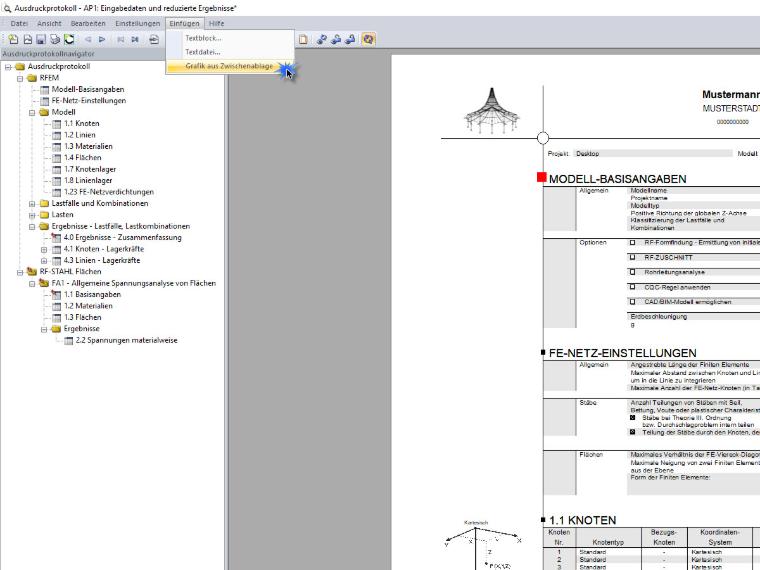
To insert an image, copy the graphic to the clipboard using [Ctrl+C]. Insert the graphic into the printout report using the menu “Insert” → “Graphic from clipboard.”
The graphic appears as a separate chapter at the end of the printout report and can be moved to the desired location using drag and drop.
This function also allows you to print a clipping plane in the printout report. To do this, take a screenshot of the clipping plane and copy it to the clipboard.