Answer:
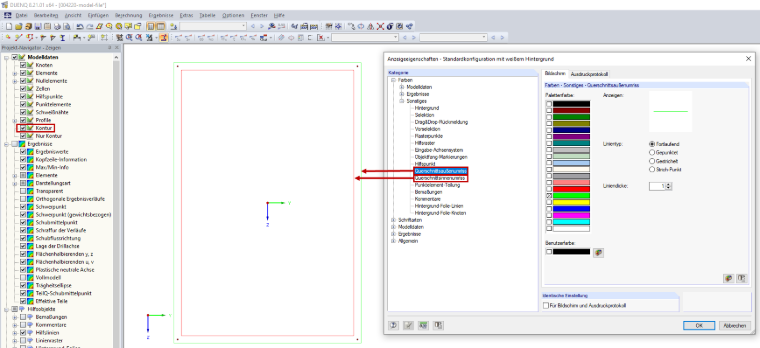
You can set the display properties of a section contour in the Display Properties dialog box (menu Options → Display Properties → Edit). The settings can be found under Colors → Other → Section outer contour, or Colors → Other → Section inner contour (see Image 01). The color, type, and thickness of the line can be set separately for the screen and the printout report.