If a user-defined panel has already been created, this color scale is displayed in Display Properties in the "Printout Report" tab under "Results" → "Palette". If you set this as default, the graphics in the printout report are updated automatically.
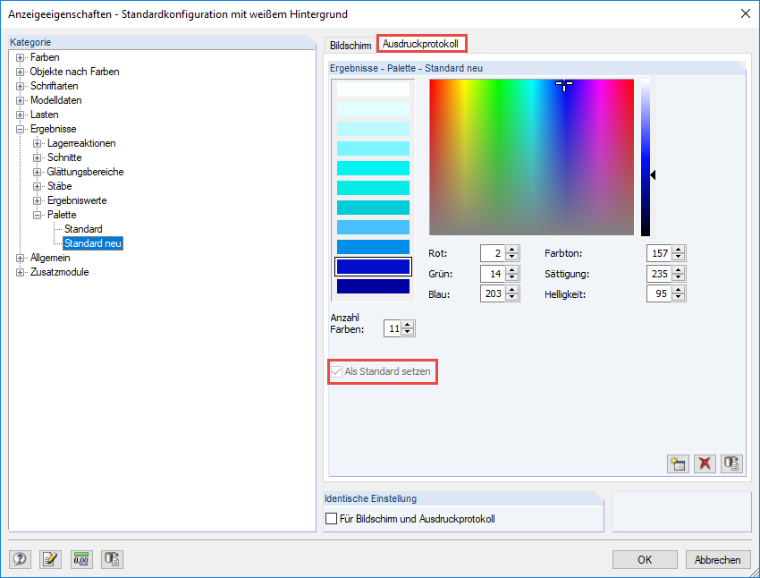
Changing Color Scale for All Images in Printout Report
I have printed some graphics into my printout report. Now, I would like to adjust the colors in the panel. Is it possible to change or update the color scale for all images in the printout report at once?
Answer:
Author
Sandy provides support in Customer Support for technical issues related to the software. She reliably familiarizes herself with new topics and helps develop clearly structured solutions.
References
- Dlubal Software. (2018). Manual RFEM. Tiefenbach.
- Dlubal Software. (2016). Manual RSTAB. Tiefenbach: Dlubal Software.
;