


Answer:
To do this, Detail Settings has additional options of the functions "Move", "Rotate", or "Mirror".

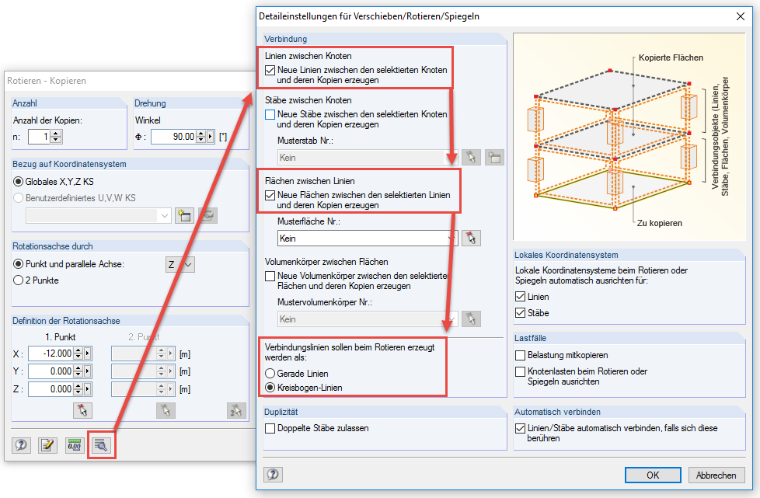
For example, if there is an annular surface to be designed, and the center point as well as the inside and outside radius are known, proceed as follows:
- Insert a node on the inside radius and outside radius.
- Connect both nodes with a line.
- Select these three objects.
- Open the "Rotate" feature.
- Activate "Lines between nodes" as well as "Surfaces between lines".
- Pay attention to the type of the connection lines that are created when rotating.