0x
001480
2021-01-07

Graphical Results of Several Load Cases in Printout Report

What is the easiest way to include the graphical results of several load cases in a printout report? At the moment, I click on each load case individually and print the graphic.


Answer:

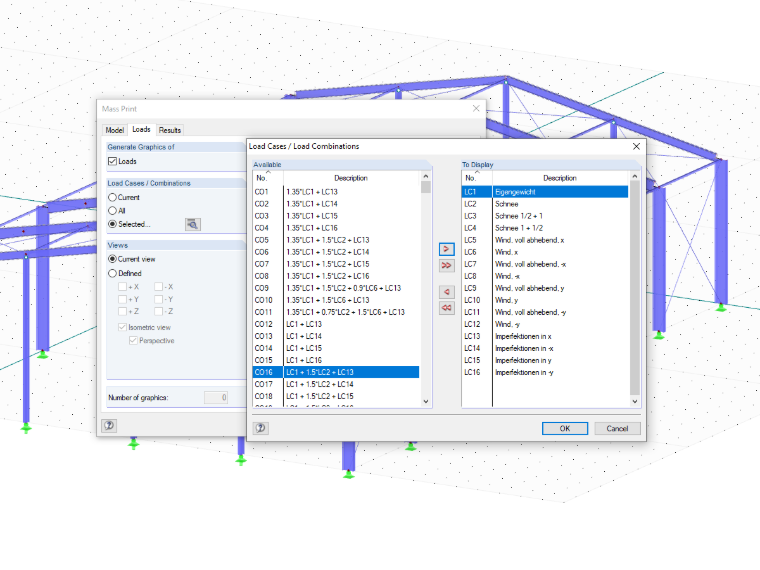
You can transfer the graphics all at once by selecting the "Mass Print…" option in the "Graphic Printout" dialog box.

In the "Results" tab of the new dialog box, you can then define load cases as well as internal forces relevant for the automatic graphics (see the image).

Author

Sandy provides support in Customer Support for technical issues related to the software. She reliably familiarizes herself with new topics and helps develop clearly structured solutions.


;