The Design Situations table in the “Concrete Foundations” category lists all design situations defined for the model. Two standards are relevant for assigning design situation types for concrete foundations:
- EN 1992 for the concrete design
- EN 1997 for the geotechnical analysis
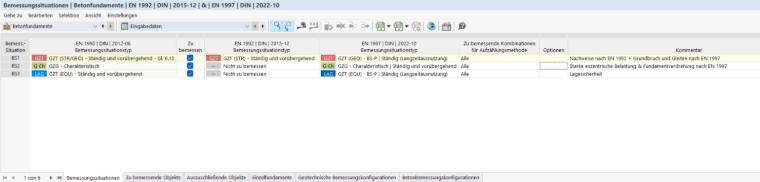
The design situations are described in the chapter Design Situations of the RFEM manual.
The design checks according to EN 1992 and EN 1997 are distributed across different design situations depending on the limit state:
| Design Situation | Performed Design Checks |
|---|---|
| DS1 – ULS (STR/GEO), Eq. 6.10 | EN 1992 design checks (bending, punching shear, shear resistance, minimum reinforcement, and so on) as well as ground failure and sliding according to EN 1997 |
| DS2 – SLS Characteristic | Highly eccentric loading & highly eccentric loads in core (limitation of the gaping joint) according to EN 1997 |
| DS3 – ULS (EQU) | Static equilibrium (equilibrium of the foundation block) according to EN 1997 |
Selecting Design Situations for Concrete Foundations
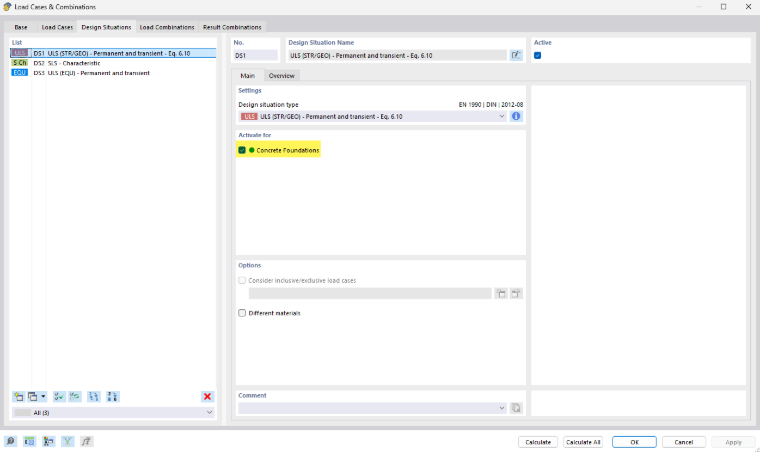
By default, the "To Design" check box is activated for all design situations. In this way, all design situations are analyzed for the concrete foundation design checks. If you deactivate the check box of a design situation, the corresponding design situation is deactivated for the concrete design and no design checks are performed for this design situation.
The settings in the table are synchronized with the specifications for the design situations in the "Load Cases and Combinations" dialog box.
Self-Weights for Concrete Foundations
In the "Load Cases" tab of the "Load Cases and Combinations" dialog box, you can specify for each load case whether and how the self-weight for concrete foundations should be considered. To do this, select the Self-weights for concrete foundations option in the "Self-Weight" section. The Concrete Foundations tab is added.
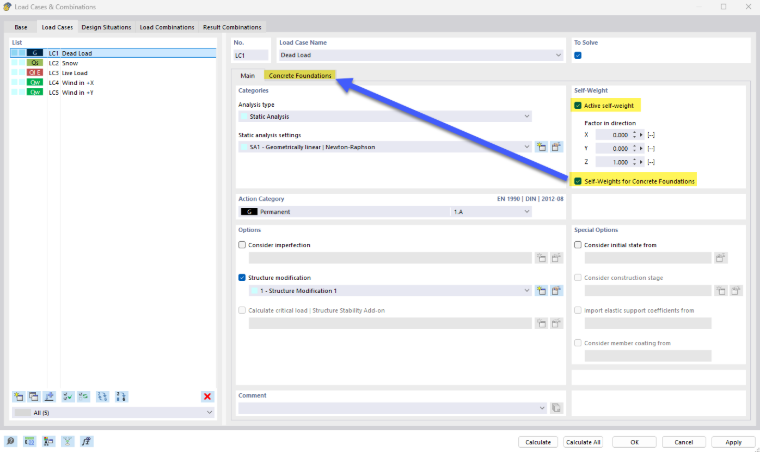
In the "Concrete Foundations" tab, you can specify whether the self-weight of the foundation structure, the earth covering, and the ground water should be considered.
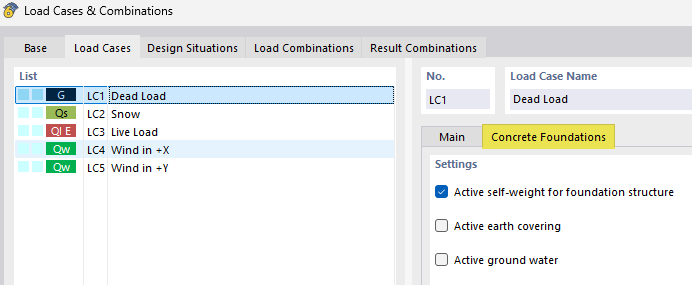
If earth covering and groundwater are activated and their properties have been defined in the Soil Properties dialog box, the corresponding loads are created automatically. If they are deactivated, you can manually define them as additional foundation loads. Further explanation can be found in the chapters Earth Covering and Groundwater.
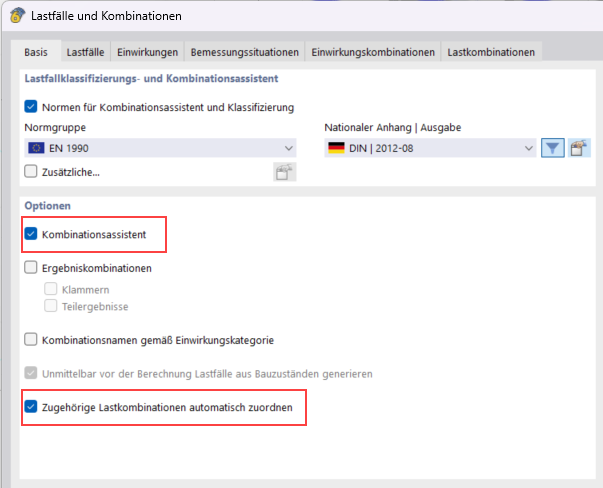
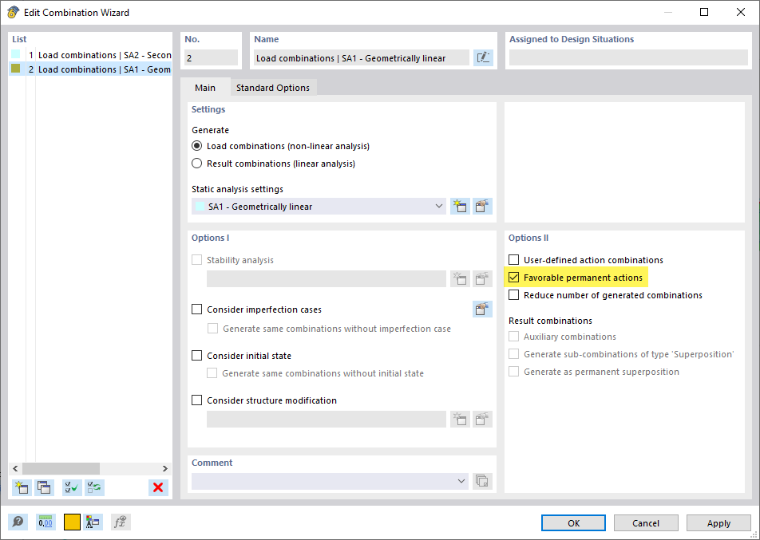
To also combine the self-weight in the ultimate limit state with the partial safety factor 1.0, select the Favorable permanent actions check box in the combination wizard, the "Options II" section.
Corresponding Characteristic Load Combinations
For the geotechnical design checks of ground failure and sliding, it is necessary to assign a corresponding load combination (SLS) to each ULS load combination. You can do this in the Load Cases and Combinations tab. The SLS combination is required to correctly calculate the load eccentricity and shear resistance. Without this assignment, the corresponding design checks cannot be performed.
When using the load combination wizard, the corresponding load combinations are assigned automatically.