2026-09-15
064829
Buttons for Plane Surfaces
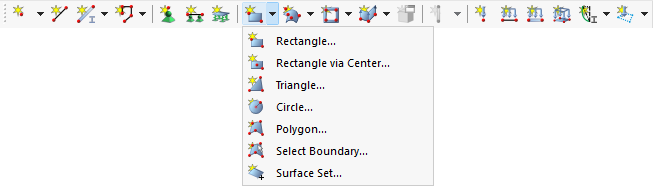
Defining a plane surface graphically using the options of the list button
The List button in the toolbar provides various features for graphically defining a surface. You can choose from Rectangle, Rectangle via Center, Triangle, Circle, Polygon, Select Boundary, and Surface Set. These features allow you to create surfaces of various geometries directly in the model. The “Select Boundary” option allows for the definition of a surface using existing, closed boundaries. The “Surface Set” option combines multiple selected lines into a single surface.