2026-09-10
064734
Display Properties for Effective Lengths in Steel Design
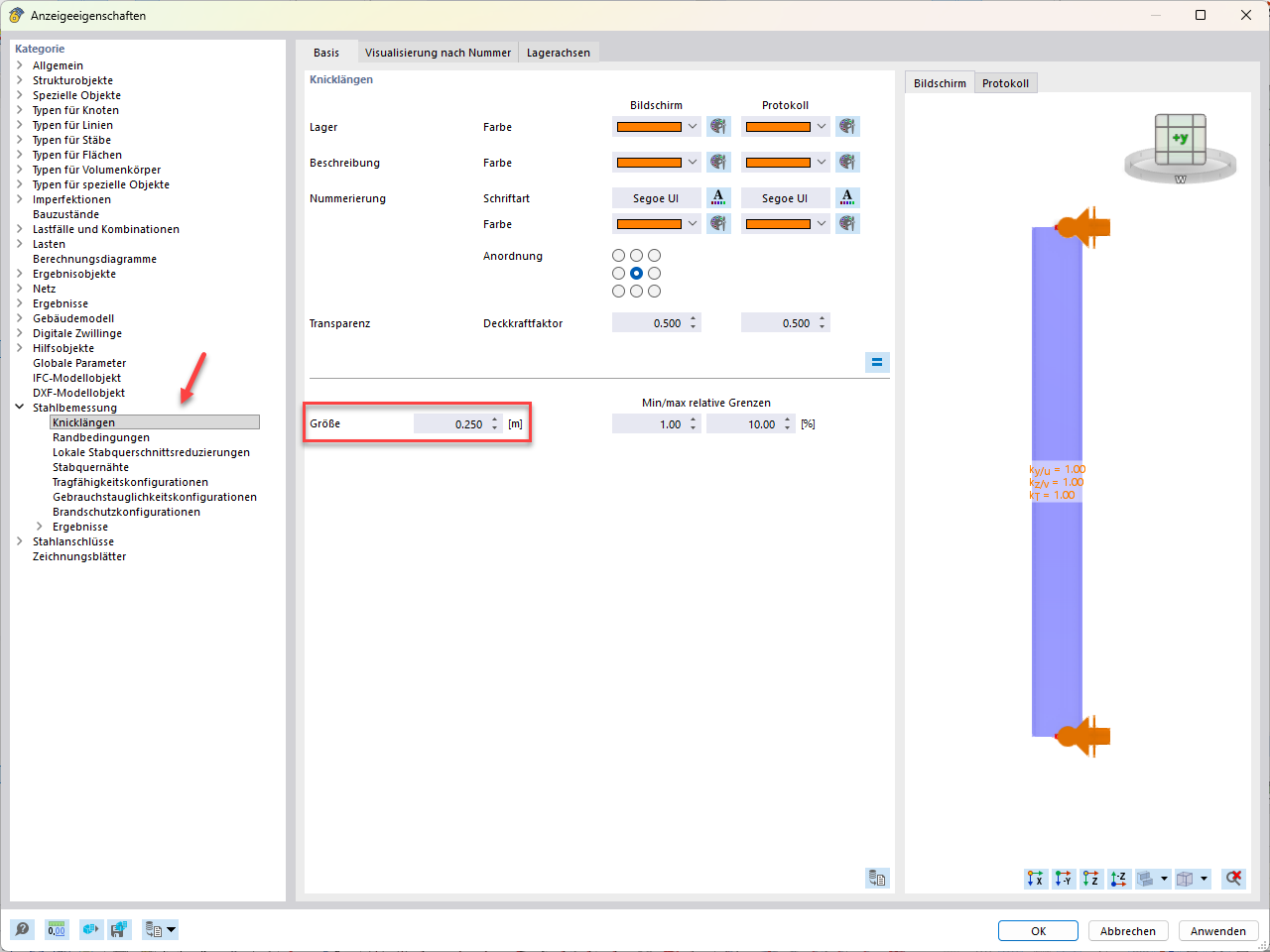
“Display Properties” dialog box with selected effective lengths under “Steel Design” and settings for size and display on the screen and in the report
The “Display Properties” dialog box shows the selected effective lengths in the category tree under the “Steel Design” heading. In the “Main” tab, you can specify colors, font, and the arrangement of the supports, as well as the numbering for the screen and report. The opacity factor for transparency is set to 0.500. A value of 0.250 m is entered in the “Size” text box; the minimum and maximum relative limits are 1.00% to 10.00%. On the right, the preview shows a member with supports displayed in orange and the effective length factors ky/u, kz/v, and kT, each set to 1.00.